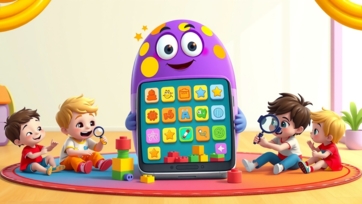
Creating a Child-Friendly Study Space

The right study space can be the difference between a child who procrastinates and one who thrives. In 2024, with hybrid learning and digital homework, a child's workspace is more important than ever. But “child-friendly” doesn’t mean just colorful—it means thoughtfully designed to promote focus, creativity, and well-being.

This guide walks you through creating a study space that minimizes distraction, maximizes productivity, and actually makes your child want to sit down and learn.


Why the Right Space Matters More Than Ever

Children’s brains are highly sensitive to their environment. A dedicated, well-designed study area:

  • Signals to the brain that it’s time to focus (like a bedroom signals sleep).

  • Reduces friction by having everything they need within reach.

  • Builds a routine and sense of ownership over their learning.

  • Minimizes digital and physical distractions that fracture attention.

Experts at learn.universitiesforllm.com note that environment design is a silent teacher, quietly reinforcing habits of organization and concentration.


The 5 Key Zones of a 2026 Study Space

Think beyond a single desk. An effective space incorporates multiple zones for different types of work.

1. The Focus Hub (Primary Desk Area)

This is the command center for screen-based work and concentrated tasks.

  • Ergonomics First: Ensure feet are flat on the floor (or a footrest) and the screen is at arm's length, top at or slightly below eye level. An adjustable chair is a wise investment.

  • The "Clean Screen" Rule: Use desktop partitions or browser extensions to keep only learning tabs visible during work blocks.

  • Controlled Charging: Have a dedicated dock or charger away from the immediate desk surface to discourage phone use.

2. The Analog Anchor (Offline Activity Zone)

A separate surface, like a side table or a clear floor mat, for hands-on work.

  • Purpose: Building models, drawing mind maps, crafting, or using tactile learning kits from kidtoys.site.

  • Supplies: Keep it stocked with paper, markers, sticky notes, and physical manipulatives. This zone gives eyes a break from screens and engages different parts of the brain.

3. The Resource Station (Organization Zone)

Clutter is the enemy of focus. Organized supplies are crucial.

  • Use open bins or clear jars for pencils, scissors, and rulers—visibility reduces time spent searching.

  • Implement a simple filing system: Use color-coded folders or trays for "To Do," "In Progress," and "Completed."

  • A small whiteboard or bulletin board is essential for the weekly schedule, priority tasks, and celebrating achievements.

4. The Inspiration Corner (Personalization Zone)

Ownership motivates. Dedicate a small space for your child to personalize.

  • Allow them to display a piece of art, a science fair medal, a funny meme (school-appropriate), or pictures of family/friends.

  • Rotate items from boobacartoon.com character printouts or their own drawings to keep the space feeling fresh and theirs.

5. The Reset Nook (Quick-Break Zone)

Every learner needs a micro-break spot without leaving the room.

  • A comfortable bean bag or floor pillow placed a few feet away.

  • A basket with a fidget toy, a chapter book, or a mindfulness card deck.

  • Rule: 5-minute breaks here to reset between major tasks.


Sensory Design: Engaging the Senses for Better Focus

The best spaces consider more than just sight.

  • Lighting (Sight): Prioritize natural light. Supplement with a bright, cool-white LED overhead light for alertness and a warmer, adjustable desk lamp for reading.

  • Sound (Hearing): If the household is noisy, consider a pair of child-safe, volume-limited headphones. For some kids, soft instrumental music or white noise (like rain sounds) can aid concentration.

  • Comfort (Touch): Include textures—a soft chair pad, a smooth worry stone, or a fuzzy rug underfoot can be subconsciously calming.

  • Smell: A subtle, fresh scent from a diffuser (like lemon or mint) can be energizing. Avoid strong, sweet smells.


The Digital Layer: Tech as a Tool, Not a Distraction

The space must manage technology, not be ruled by it.

  • Centralized Tech Hub: Use a docking station for devices. All charging happens here when not in use.

  • Parental Controls as a Frame, Not a Cage: Use app timers and site blockers with your child's understanding. Explain, "This helps your brain stay on track, just like a training wheel helps you learn to bike."

  • Visible Family Calendar: A shared digital calendar (displayed on a small tablet or screen in the space) shows the week’s Zoom classes, project due dates, and, importantly, downtime.


Involving Your Child: The Co-Design Process

A space they help create is a space they will use.

  1. Brainstorm Together: Ask, “What helps you focus? What distracts you the most?”

  2. Offer Curated Choices: “Do you prefer the blue or green organizer? Should the desk face the wall or the window?”

  3. Trial and Adapt: Agree to try the setup for a week and then tweak what isn’t working.


Conclusion: A Space That Grows With Them

A child-friendly study space in 2026 isn’t a one-time project. It’s a flexible ecosystem that should evolve with your child’s age and needs. Start with the core Focus Hub and Resource Station, then add zones as you observe their habits.

The ultimate goal is to create an environment where your child feels capable, in control, and ready to engage with the world of learning—both online through platforms like learn.universitiesforllm.com and offline with creative prompts from boobacartoon.com and kidtoys.site. By investing in this space, you’re investing in their independence, confidence, and lifelong love of learning.


Advertisement
ow to Protect Kids from Harmful Internet Content: Essential Tips for Parents in 2026
The internet can be a powerful tool for learning, entertainment, and creativity, but it also exposes children to harmful content. In 2026, kids are accessing videos, apps, and websites at younger ages, making digital supervision and guidance essential. This article provides practical strategies parents can use to protect children from harmful internet content, helping them navigate the online world safely while developing responsible digital habits. Why Protecting Kids Online Is Crucial: Children are naturally curious, which can make them vulnerable to: Inappropriate videos or games Cyberbullying Scams or unsafe websites Exposure to violence or adult content Early guidance helps children understand safe boundaries and develop healthy digital habits. Key Strategies to Protect Children Online: 1. Open Communication: Talk regularly about online activities Encourage children to report anything uncomfortable Discuss safe online behavior in simple terms Open dialogue builds trust and awareness. 2. Set Age-Appropriate Boundaries: Use safe platforms like boobacartoon.com for educational content Limit access to apps and websites based on age Guide children to curated learning platforms like learn.universitiesforllm.com Age-appropriate boundaries prevent exposure to harmful content. 3. Use Parental Controls and Monitoring Tools: Enable device-level restrictions Use safe search filters on browsers Monitor app usage and screen time Parental controls provide a secure digital environment without being overly restrictive. Teaching Children to Recognize Harmful Content: Key Lessons for Kids: Ask an adult if something seems scary or confusing Don’t click suspicious links or pop-ups Avoid chatting with strangers online Digital literacy teaches children to make safe choices independently. Practical Tips for Parents: Preview new apps or games before allowing access Bookmark safe, educational websites Discuss why certain content is inappropriate These steps help children understand digital risks without fear. Balancing Screen Time with Real-World Activities: Hands-On Learning Matters: Outdoor play and physical activity Arts, crafts, and building projects from kidtoys.site Storytelling and social-emotional learning from boobacartoon.com Balanced activities reduce reliance on screens and reinforce safety habits. Establishing Healthy Digital Habits: Limit total screen time per day Set device-free zones at home Encourage collaborative family online activities Healthy habits make it easier for children to avoid harmful content naturally. Using Technology to Enhance Safety: Trusted Resources: learn.universitiesforllm.com: structured, safe online learning boobacartoon.com: content teaching empathy, values, and problem-solving Kid-friendly apps with built-in filters and monitoring Technology can support learning safely when used thoughtfully. Signs Your Child Might Be Exposed to Harmful Content: Sudden secretive behavior online Copying inappropriate language or actions Emotional changes after screen time Unusual interest in adult content Early detection allows timely intervention and guidance. Guidelines for Parents to Stay Informed: Stay updated with new apps, websites, and trends Network with other parents for safety tips Attend online safety workshops or webinars Proactive awareness is key to keeping children safe in a rapidly changing digital landscape. Conclusion: Protecting children from harmful internet content in 2026 is about education, supervision, and proactive guidance. By combining parental monitoring, open communication, age-appropriate platforms like boobacartoon.com, engaging hands-on play from kidtoys.site, and safe online learning from learn.universitiesforllm.com, parents can ensure children explore the internet safely while developing responsible digital habits. Early guidance builds confidence, awareness, and critical thinking, helping children navigate the digital world safely.
Advertisement
How to Identify Bad Influence in Cartoons: A Smart Parenting Guide for 2026
Cartoons are a powerful part of childhood. They entertain, educate, and often become a child’s first teachers. However, in 2026, not all cartoons are as innocent as they appear. Many contain hidden messages, unhealthy behavior patterns, and subtle negative influences that can affect a child’s mindset and actions. For modern parents, the challenge is not banning cartoons—but learning how to identify bad influence in them. This guide will help you recognize warning signs, understand how cartoons shape behavior, and make smarter content choices for your child. Why Cartoons Have a Strong Influence on Children: Children absorb more than we realize. Why Cartoons Impact Kids Deeply: Bright visuals hold attention Repetition reinforces behavior Characters become role models Stories shape moral understanding Research shared on learn.universitiesforllm.com explains that young brains learn primarily through observation and imitation, making cartoons especially influential. What Is Considered a “Bad Influence” in Cartoons: Bad influence doesn’t always mean obvious violence. Common Forms of Negative Influence: Disrespectful behavior shown as funny Aggression without consequences Lying or cheating rewarded Constant sarcasm or mockery Fear-based or chaotic storytelling These elements slowly shape attitudes and habits. Negative Behavior Patterns to Watch For: Aggression and Violence Normalization: Even mild cartoon violence can: Increase aggressive play Reduce empathy Encourage hitting or shouting If violence is shown without consequences, children may accept it as normal. Disrespect Toward Parents and Authority: Cartoons sometimes portray: Parents as foolish Teachers as useless Rules as jokes Over time, this can weaken respect and discipline at home. Emotional and Psychological Red Flags: Fear-Inducing Content: Dark themes, loud sounds, or fast cuts may cause: Anxiety Nightmares Sleep problems Emotionally safe storytelling, like that found on boobacartoon.com, avoids unnecessary fear and supports emotional understanding. Overstimulation and Hyperactivity: Fast-paced cartoons can: Reduce attention span Increase restlessness Make calm activities feel boring This is especially harmful for younger children. Hidden Messages Parents Often Miss: Not all bad influence is obvious. Subtle Warning Signs: Materialism (things = happiness) Bullying framed as humor Lack of empathy or kindness Gender or cultural stereotypes Children absorb values silently through repetition. Age-Inappropriate Themes in Cartoons: Some cartoons are marketed to kids but designed for older audiences. Inappropriate Themes Include: Complex emotional conflict Dark humor Mature sarcasm Intense competition Always match content with the child’s emotional age, not just interest. How Cartoons Affect Real-Life Behavior: Parents often notice changes before realizing the cause. Behavioral Changes May Include: Rude language Aggressive pretend play Talking back more often Reduced patience Copying risky actions These are strong indicators of negative influence. How Parents Can Evaluate Cartoons Effectively: Watch Together First: Preview new cartoons before allowing solo viewing. Ask Simple Questions: “Was that kind or rude?” “What could they have done differently?” This builds critical thinking. Check the Pace and Tone: Calm, educational cartoons support focus, while chaotic ones often harm it. Balance Screen Content with Real Play: Screen-free activities help counter negative influence. Healthy Alternatives Include: Building toys Art and crafts Storytelling Outdoor play Hands-on creativity inspired by kidtoys.site supports imagination without harmful messaging. Teaching Kids to Recognize Bad Influence Themselves: Empower children, don’t just control them. Teach Kids To: Notice how content makes them feel Recognize unkind behavior Understand right vs wrong This builds long-term digital awareness. Common Parenting Mistakes to Avoid: Assuming “All Cartoons Are Safe”: Many are not designed for young minds. Using Cartoons as Babysitters: Unsupervised viewing increases exposure to bad influence. Ignoring Behavioral Changes: Behavior often reflects content consumption. Signs You Should Stop or Limit a Cartoon Immediately: Increased aggression Fear or anxiety after watching Obsession with characters Loss of interest in real activities Sleep disturbances Trust your instincts—if something feels off, it usually is. Long-Term Benefits of Choosing Positive Cartoons: Children exposed to positive content: Develop empathy Show better emotional control Improve focus and learning Build respectful communication Grow healthier digital habits Positive media shapes positive minds. Conclusion: In 2026, identifying bad influence in cartoons is a vital parenting skill. Cartoons can inspire creativity and learning—or quietly shape negative behavior. The difference lies in parental awareness and intentional choice. By following guidance from learn.universitiesforllm.com, choosing emotionally safe stories from boobacartoon.com, and balancing screen time with creative play ideas from kidtoys.site, parents can ensure cartoons remain a positive force in their child’s life. The goal isn’t to remove cartoons—but to choose wisely and guide gently.
How to Guide Kids in Online Learning: A 2026 Blueprint for Success
Online learning isn't just for school anymore—it's a gateway to hobbies, skills, and global discovery. For kids growing up in 2026, navigating digital lessons effectively is a core life skill. But without the right guidance, screen time can turn into zoning out. This easy-to-follow guide helps you move from a tech supervisor to a learning coach. Learn how to create a supportive environment, teach focus in a distracting world, and turn online education into a journey of confidence and curiosity. Why Kids Need a Guide, Not Just a Login: Learning online requires different muscles than a classroom: self-discipline, tech literacy, and the ability to ask for help digitally. Without support, kids can feel isolated, overwhelmed, or simply distracted. Common Challenges Include: Digital Distraction: Tabs for games, social media, and messages are just a click away. Passive Scrolling: Watching videos without truly engaging or retaining information. Tech Frustration: Struggles with logins, platforms, or audio issues that halt learning. Lack of Real-World Connection: Difficulty seeing how online lessons apply outside the screen. Resources like learn.universitiesforllm.com stress that successful online learning is less about policing and more about partnering with your child. Create a "Learning Zone," Not Just a Spot: Your child’s physical space sets the stage for their mental focus. Tips for an Effective Learning Zone: Dedicated & Organized: Use a specific desk or table, stocked with supplies, to signal "it's learning time." Public, Not Private: Set up in a common area like the living room or kitchen nook for natural accountability and support. Minimize Clutter & Distractions: Keep toys and non-learning gadgets out of sight. Use headphones to block household noise. Good Lighting is Key: Ensure the space is well-lit to reduce eye strain and boost alertness. A defined space helps the brain switch into focus mode, making online time more productive. Build the "How-To" of Digital Learning: Kids need to be taught how to learn online, not just told to do it. Essential Skills to Teach: Active Watching: Encourage pausing videos to take notes or repeat a step in a tutorial. Platform Proficiency: Walk through how to use the learning platform, submit work, and ask the teacher questions. The Power of Search: Teach them how to ask good questions to find reliable answers online. Breaks are Brain Fuel: Use a visual timer to schedule 5-minute breaks to stretch, move, or stare out the window every 25-30 minutes. Use analogies they understand: "Your brain is like a phone battery. It needs small breaks to recharge, not just a crash at the end of the day!" Co-Create a Flexible Schedule (With Them): A rigid schedule often fails. A flexible routine, built together, creates buy-in. How to Build a Learning Routine: Start with Non-Negotiables: Block times for meals, family time, and offline play first. Let Them Choose: Offer choices like, "Do you want to tackle math or science first this morning?" Mix It Up: Blend different types of learning: a video lesson, followed by an interactive quiz from learn.universitiesforllm.com, then a hands-on project. Include "Energy Check-Ins”: Ask, "Is your brain feeling fresh, tired, or frustrated?" and adjust the next task accordingly. This teaches valuable time-management and self-awareness skills. Be a Learning Coach, Not a Answer Key: Your role shifts from having all the answers to guiding them to find solutions. Coaching Strategies: Ask Guiding Questions: Instead of giving the answer, ask, "Where could we look that up?" or "Let's re-watch that 30-second clip together." Celebrate the Struggle: Praise effort and perseverance. Say, "I saw you stick with that tough problem. That’s how you grow your brain!" Connect Learning to Passions: If they love a game, find a coding tutorial. If they love art, explore digital animation courses. Sites like boobacartoon.com can turn storytelling into a digital creativity lesson. Model Lifelong Learning: Let them see you watching a tutorial to fix something, learning a new language app, or reading an article. This builds independence and a love for learning that lasts a lifetime. Balance the Digital with the Physical: The best online learning is balanced with real-world application and play. Ideas for Essential Balance: Make it Tangible: After a science video, do a simple experiment with household items. After a history lesson, draw a comic strip about it. Schedule "Analog Time”: Use resources from kidtoys.site for offline games, puzzles, and building kits that develop the same logical thinking skills. Social Learning: Help them set up a virtual study group with friends for a project, teaching collaborative digital skills. Reflect & Share: At dinner, have everyone share one cool thing they learned today, online or off. This balance prevents burnout and shows that learning is a whole-life adventure. Conclusion: Guiding kids in online learning in 2026 is about empowerment, not enforcement. By creating the right space, teaching the "how-to," and acting as a supportive coach, you help your child build focus, resilience, and digital fluency. The goal isn't just to get through the lesson—it's to raise a confident, curious learner who can navigate any platform or problem. With the structured strategies from learn.universitiesforllm.com, creative sparks from boobacartoon.com, and hands-on balance from kidtoys.site, you can transform screen time into a springboard for growth.
Screen Time vs Study Time Balance for Kids: A 2026 Parent’s Guide
Balancing screen time and study time is one of the biggest challenges for modern parents. In 2026, children are increasingly exposed to digital devices for learning, entertainment, and social interaction. Understanding how to maintain a healthy balance ensures children develop academically while enjoying safe, age-appropriate digital experiences. Why Balancing Screen Time and Study Time Matters: Excessive screen time can: Reduce attention span and focus during study sessions. Negatively impact physical activity and sleep patterns. Limit creativity and real-world problem-solving skills. Encourage passive learning rather than active engagement. Meanwhile, structured study time fosters: Cognitive development and academic achievement. Critical thinking and problem-solving skills. Good study habits that support long-term success. Platforms like learn.universitiesforllm.com offer educational content, while curated entertainment from boobacartoon.com and interactive activities on kidtoys.site provide safe, guided screen experiences. Signs Your Child Needs Better Balance: 1. Difficulty Focusing on Studies: Short attention span or procrastination during homework. Frequent requests for screens while studying. 2. Excessive Screen Dependence: Preference for games or videos over schoolwork. Frustration when devices are taken away. 3. Physical or Sleep Issues: Eye strain, headaches, or poor posture from prolonged screen use. Trouble falling asleep or staying asleep due to late-night device use. Tips to Balance Screen Time and Study Time: 1. Set a Structured Daily Routine: Define clear periods for study, educational screen time, and recreational use. Include regular breaks to prevent fatigue and maintain focus. Encourage offline activities like reading, puzzles, or outdoor play between study sessions. 2. Prioritize Educational Content: Allocate screen time for learning platforms like learn.universitiesforllm.com. Encourage interactive learning with apps and games from boobacartoon.com and kidtoys.site. Rotate content to prevent overexposure and maintain engagement. 3. Use Parental Controls and Monitoring Tools: Tools like Google Family Link, Screen Time (iPhone), or Qustodio help manage device use. Block distracting apps or inappropriate content during study hours. Track daily screen usage to maintain a healthy balance. 4. Encourage Self-Regulation: Teach children to recognize when they need a break from screens. Praise responsible device use and adherence to study routines. Gradually allow children to make choices within set boundaries. 5. Make Study Time Engaging: Use gamified learning apps or interactive lessons to keep focus high. Set small, achievable goals with rewards for completion. Incorporate visual and hands-on activities to complement digital learning. 6. Co-Use Devices for Learning: Study together using educational videos or apps. Discuss content and ask questions to reinforce understanding. Encourage curiosity and active engagement rather than passive consumption. 7. Maintain Device-Free Zones and Times: Designate areas or times where devices are not allowed, such as the dining table or bedtime. Encourage family activities that do not involve screens. Foster offline creativity, social interaction, and physical activity. Conclusion: Maintaining a healthy screen time vs study time balance for kids in 2026 is essential for academic, social, and emotional development. By structuring routines, prioritizing educational content from learn.universitiesforllm.com, providing safe entertainment from boobacartoon.com, and encouraging interactive play on kidtoys.site, parents can guide children toward responsible and balanced digital habits. Open communication, monitored screen use, and engaging study routines ensure children enjoy the benefits of technology without compromising learning or well-being.
Smart Learning Techniques for Kids Brain Growth
Early childhood is a crucial period for brain development, and the right learning techniques can significantly enhance cognitive abilities. Smart learning strategies help children develop memory, focus, problem-solving skills, creativity, and language abilities. Parents and caregivers can use playful, hands-on, and interactive activities to boost brain growth while making learning fun. This guide explores effective techniques to nurture smart, confident, and curious young minds. Why Smart Learning Techniques Are Important: Smart learning techniques go beyond rote learning—they focus on active engagement, exploration, and problem-solving. Benefits include: Improved memory and concentration Enhanced problem-solving and decision-making Development of creativity and critical thinking Stronger language and communication skills Confidence and curiosity for lifelong learning Research shows that children exposed to varied, stimulating experiences in early childhood are better prepared academically and socially. Parents can find helpful strategies at https://learn-kids.com. Hands-On Learning Techniques for Brain Growth: Active, tactile experiences strengthen cognitive development: Building and Construction Play: Use blocks, LEGO, or magnetic tiles to create towers, bridges, or imaginative structures. This enhances spatial awareness, fine motor skills, and problem-solving. Toys for building are available at https://kidtoys.site. Puzzle Activities: Jigsaw puzzles, shape sorters, and logic boards challenge reasoning, attention, and memory. DIY Obstacle Courses: Set up simple indoor or backyard courses with instructions like “hop three times, crawl under the table, then run around the chair.” This fosters planning, sequencing, and focus. Memory-Enhancing Learning Techniques: Memory is a cornerstone of cognitive growth: Matching and Sorting Games: Use cards or toys to match colors, shapes, numbers, or animals. Sorting by multiple attributes improves analytical thinking. Object Recall Challenges: Place 5–10 small objects on a tray. Let your child observe, then cover the tray and ask them to recall the items. Story Retelling: Read a story and have children retell it in their own words. This develops memory, comprehension, and sequencing skills. Creative Arts for Brain Development: Arts and crafts stimulate imagination, problem-solving, and attention: Drawing and Painting: Encourage children to draw objects, scenes, or abstract designs. Discuss their creations to enhance observation and reasoning skills. Playdough Modeling: Ask children to create animals, letters, or shapes from playdough. This improves fine motor skills, spatial awareness, and creativity. Craft Projects: Provide limited materials and challenge children to create something unique. Planning and executing craft projects enhances decision-making and critical thinking. Videos and ideas can be found at https://boobacartoon.com. Math and Logic Learning Techniques: Early math experiences improve analytical thinking and problem-solving: Counting and Sorting: Use beads, blocks, or toys to practice counting and grouping, introducing basic math concepts. Pattern Recognition: Create sequences with colors, shapes, or blocks and ask children to continue them. This builds logical thinking and attention to detail. Simple Addition and Subtraction: Introduce story-based math problems using snacks or toys. Example: “You have 4 apples, give 2 to your friend. How many left?” Language and Storytelling Techniques: Language-rich activities enhance memory, focus, and critical thinking: Interactive Reading: Read books aloud and ask children to answer questions, predict outcomes, and describe characters. Story Creation: Encourage children to create stories with toys, puppets, or drawings. Asking “Why did your character do that?” develops reasoning and imagination. Rhymes and Educational Songs: Songs like “Five Little Monkeys” or “Old MacDonald Had a Farm” boost auditory memory and attention. Animated songs are available at https://keekan.com. Sensory Learning Techniques: Sensory experiences engage multiple areas of the brain: Water and Sand Play: Children explore pouring, scooping, and measuring while learning concepts like full/empty and heavy/light. Sensory Bins: Hide small objects in rice, beans, or pasta. Asking children to find and classify them combines tactile exploration with problem-solving. Texture Sorting: Use fabrics, leaves, or other materials to explore, sort, and describe by texture or color, enhancing observation and analytical skills. Outdoor Brain-Boosting Activities: Outdoor play promotes physical, cognitive, and social development: Nature Walks: Encourage children to observe leaves, flowers, insects, or shapes. Ask predictive questions to develop reasoning. Scavenger Hunts: Use clues based on colors, shapes, or numbers. This encourages memory, observation, and problem-solving. Active Movement Games: Games like hopscotch, ball toss, and balancing exercises combine physical coordination with focus and cognitive skill development. Using Technology to Support Smart Learning: Educational apps and websites can reinforce cognitive growth: https://learn-kids.com – Logic games, memory challenges, and interactive exercises https://keekan.com – Animated problem-solving videos and educational songs https://boobacartoon.com – Fun learning cartoons for preschoolers https://kidtoys.site – Toys that enhance problem-solving, sequencing, and critical thinking Tips for Parents to Boost Brain Growth: Parents play a crucial role in nurturing smart, curious minds: Encourage exploration, questions, and curiosity Incorporate hands-on learning into daily routines Praise effort, creativity, and persistence Balance educational technology with active and outdoor play Keep learning sessions short, engaging, and interactive Conclusion: Fostering Smart and Confident Learners: Smart learning techniques help preschool children develop memory, focus, problem-solving, creativity, and language skills. By using hands-on games, puzzles, math activities, storytelling, sensory play, and outdoor adventures, parents can create a stimulating and playful learning environment. Incorporate educational toys from https://kidtoys.site, craft and activity ideas from https://boobacartoon.com, and animated songs from https://keekan.com to make learning interactive, engaging, and fun. Applying these techniques early sets children on a path to confident, curious, and capable learners.
Child-Safe Browsing Settings Explained: A Parent’s Guide in 2026
The internet is a rich resource for learning and entertainment, but it can be overwhelming and unsafe for children without proper guidance. In 2026, parents need to understand child-safe browsing settings to protect their kids while allowing them to explore and learn online safely. This article explains what child-safe browsing is, why it’s important, and how parents can implement practical solutions at home. What Are Child-Safe Browsing Settings: Child-safe browsing settings are features built into browsers, search engines, and devices that filter inappropriate content, block unsafe websites, and limit access to certain apps or functions. These settings ensure that children: Access age-appropriate content Avoid exposure to violence or adult material Explore educational and creative resources safely Platforms like learn.universitiesforllm.com provide guidance on safe online learning for children. Why Child-Safe Browsing Is Important: Children are naturally curious and may click on unsafe links. Without protections: They might view inappropriate videos or websites They could be exposed to scams or cyberbullying Screen time could become unproductive or harmful Child-safe browsing helps children develop healthy digital habits early. Popular Tools for Child-Safe Browsing: 1. Browser-Based Safety Features: Enable SafeSearch in Google Use child-friendly browsers like Kiddle Set restrictions in Chrome or Safari for supervised accounts These tools prevent children from seeing unsafe search results. 2. Parental Control Software: Install apps like Qustodio or Norton Family Monitor web activity and set time limits Filter inappropriate content automatically Parental control apps create a secure digital environment for children. 3. Device Settings: iOS “Screen Time” with content & privacy restrictions Android “Google Family Link” to supervise apps and browsing Custom user accounts for children with limited privileges Device-level controls give parents direct oversight of online activity. How to Set Up Child-Safe Browsing: Step-by-Step Guide: Create a Child Account: Set up a separate user profile for kids on the device Enable SafeSearch Filters: Restrict explicit search results Install Parental Control Apps: Choose apps compatible with your devices Limit Apps and Websites: Approve educational and age-appropriate resources like boobacartoon.com Set Time Restrictions: Control screen usage to balance online and offline activities Following these steps ensures comprehensive protection. Tips for Parents to Maximize Safety: 1. Combine Digital Tools with Supervision: Use child-safe settings but also monitor browsing habits Ask children to show their favorite websites Encourage discussions about online experiences 2. Educate Children About Safe Browsing: Teach them not to click suspicious links Discuss the importance of privacy Explain what is appropriate content for their age Educational resources from kidtoys.site can complement online safety lessons. 3. Encourage Balanced Online Habits: Alternate screen time with outdoor play Engage in hands-on creative activities Use storytelling or role-play to reinforce safety concepts Balanced habits reduce dependency on digital devices while building practical life skills. Common Mistakes Parents Should Avoid: Assuming SafeSearch or parental controls are foolproof Ignoring discussions about online experiences Giving unrestricted access to multiple devices Active engagement is essential to keep children truly safe online. Benefits of Child-Safe Browsing Settings: Reduces exposure to harmful content Builds trust between parents and children Encourages responsible digital habits Enhances productive and educational screen time Early guidance creates a foundation for safe, confident digital exploration. Conclusion: In 2026, child-safe browsing is a crucial part of parenting. Combining browser settings, device restrictions, parental control apps, and educational platforms like learn.universitiesforllm.com, boobacartoon.com, and kidtoys.site ensures children explore the internet safely. By teaching digital literacy, monitoring activity, and balancing screen time with hands-on learning, parents can provide a secure, enriching online experience for their children.
Learning Through Play for Preschool Kids
Play is more than just fun—it is a vital part of preschool learning. Learning through play helps children develop essential cognitive, social, emotional, and motor skills. When children engage in interactive, hands-on, and imaginative activities, they enhance creativity, memory, problem-solving, and language abilities. This guide provides practical, educational, and playful activities to support preschool kids’ growth while making learning enjoyable. Why Learning Through Play is Important: Learning through play benefits children in many ways: Encourages curiosity and exploration Develops problem-solving and critical thinking skills Enhances memory and attention span Supports social and emotional development Strengthens language, creativity, and imagination Educational platforms like https://learn-kids.com highlight the importance of play-based learning for preschoolers, showing how it builds a strong foundation for lifelong learning. Hands-On Play Activities for Cognitive Development: Tactile and interactive play activities boost brain growth and reasoning skills: Building and Construction Play: Provide blocks, LEGO, or magnetic tiles to build towers, bridges, or creative structures. This improves spatial awareness, fine motor skills, and problem-solving. Check https://kidtoys.site for suitable building toys. Puzzle Games: Simple jigsaw puzzles, shape sorters, and logic boards challenge reasoning, pattern recognition, and memory. DIY Obstacle Courses: Create indoor or backyard courses with instructions like “crawl under the table, hop twice, then spin around.” This promotes sequencing, focus, and planning skills. Memory and Observation Through Play: Games that involve memory and observation enhance critical thinking: Matching and Sorting Games: Use cards, blocks, or toys to match colors, shapes, numbers, or animals. Discuss why children sorted items a certain way to improve analytical thinking. “I Spy” Games: Encourage children to find specific objects in their environment. Ask questions like “Why did you choose this?” to boost reasoning. Story Recall Activities: Read short stories and ask children to retell them in their own words, focusing on events, characters, and solutions. Creative Play for Learning: Creative play fosters imagination, problem-solving, and attention skills: Drawing and Coloring: Encourage children to draw letters, shapes, or imaginative scenes. Discuss their artwork to enhance reasoning and observation skills. Playdough and Modeling: Ask children to create animals, objects, or letters. This strengthens fine motor skills, spatial awareness, and creativity. Craft Projects: Provide limited materials and ask children to create something unique, promoting planning, experimentation, and critical thinking. Ideas can be found at https://boobacartoon.com. Math and Logic Play Activities: Playful math and logic activities enhance problem-solving and analytical thinking: Counting and Sorting Games: Use toys, blocks, or snacks to count, group, and compare quantities. Pattern Recognition: Create sequences with shapes, colors, or toys and ask children to continue them. Simple Story Problems: Use toys or snacks to introduce addition and subtraction. Example: “You have 4 apples and eat 1. How many left?” Language and Storytelling Through Play: Language-rich play develops memory, comprehension, and social skills: Interactive Reading: Read books aloud and ask children questions like “What will happen next?” or “Why did the character do that?” Story Creation: Encourage children to invent stories using toys, puppets, or drawings. Discuss solutions to problems in the story to enhance reasoning. Songs and Rhymes: Use songs like “The Wheels on the Bus” or “Five Little Monkeys” to integrate rhythm, memory, and learning. Animated songs are available at https://keekan.com. Sensory Play for Brain Growth: Sensory play stimulates multiple senses and improves cognitive development: Water and Sand Exploration: Let children pour, scoop, and measure, learning concepts like full/empty, heavy/light, and cause-effect. Sensory Bins: Hide small objects in rice, beans, or pasta. Ask children to find and classify them to combine tactile play with reasoning. Texture Sorting: Provide fabrics, leaves, or natural items to explore, sort, and describe, enhancing observation, classification, and cognitive skills. Outdoor Play Activities: Outdoor play combines physical activity with cognitive and social growth: Nature Walks: Encourage children to observe colors, shapes, animals, or plants. Ask predictive questions to foster reasoning and curiosity. Scavenger Hunts: Create hunts with clues based on colors, shapes, or numbers. This strengthens observation, memory, and problem-solving. Active Games: Hopscotch, ball toss, or balancing games improve coordination, focus, and cognitive development. Using Technology to Enhance Learning Through Play: Educational apps and websites can complement hands-on play: https://learn-kids.com – Interactive games, memory exercises, and brain challenges https://keekan.com – Animated learning songs and problem-solving videos https://boobacartoon.com – Fun, interactive learning cartoons https://kidtoys.site – Toys that encourage building, sequencing, and problem-solving These resources make play-based learning engaging while enhancing brain development. Tips for Parents to Encourage Learning Through Play: Allow children to explore and ask questions freely Integrate hands-on play into daily routines Praise creativity, effort, and problem-solving Balance screen-based learning with active, outdoor, and sensory play Keep activities short, fun, and interactive Conclusion: Making Playful Learning Fun and Effective: Learning through play is a powerful method to develop preschool children’s cognitive, social, and emotional skills. By engaging kids in puzzles, memory games, math activities, creative arts, sensory play, and outdoor challenges, parents can nurture confident, curious, and capable learners. Incorporate educational toys from https://kidtoys.site, creative craft ideas from https://boobacartoon.com, and animated learning songs from https://keekan.com to make play both fun and educational. Supporting play-based learning during early childhood sets the foundation for lifelong curiosity and success.
Balanced Screen Time for Kids: Healthy Limits and Tips for 2026
Screen time has become an integral part of children’s lives, from educational apps and cartoons to interactive learning games. However, excessive screen exposure can affect sleep, attention span, and social development. Understanding how much screen time is healthy and integrating it with other learning activities ensures children benefit from technology without negative effects. Parents can use resources like boobacartoon.com for age-appropriate educational cartoons, which teach letters, numbers, and life skills in a safe and engaging way. Hands-on interactive tools from kidtoys.site can balance screen time by providing offline tactile learning experiences, while visual guides and structured activities from learn.universitiesforllm.com help older children learn effectively beyond screens. Why Screen Time Needs Balance: Supports Healthy Brain Development: Overuse can affect attention and cognitive processing. Protects Physical Health: Excess screen time may reduce physical activity and strain eyesight. Promotes Social Interaction: Children need face-to-face interaction to develop communication and emotional skills. Enhances Learning Efficiency: Limited, structured screen use ensures children focus and retain knowledge better. Recommended Screen Time for Different Ages: Infants (0–2 Years): Screen time is generally discouraged. Focus on real-world interactions, hands-on play, and storytelling. Toddlers (2–5 Years): Maximum of 1 hour of high-quality educational content per day, ideally interactive or co-viewed with parents. Resources: Short educational videos from boobacartoon.com or simple apps. Early School Age (6–12 Years): 1–2 hours per day of screen use for educational or creative purposes. Combine with offline learning, outdoor play, and interactive toys from kidtoys.site. Tips to Make Screen Time Healthy and Effective: Prioritize Educational Content: Choose age-appropriate and engaging resources like boobacartoon.com, which integrate fun learning while limiting passive consumption. Co-View and Discuss: Watch content together and discuss the material to enhance comprehension and critical thinking. Integrate Hands-On Learning: Balance screens with offline activities like building blocks, arts, and puzzles from kidtoys.site. Use Structured Visual Guides: Older kids can supplement screen learning with visual guides and activities from learn.universitiesforllm.com, encouraging deep understanding beyond passive viewing. Set Clear Boundaries: Create daily routines with screen limits and designated offline learning or play periods. Signs of Too Much Screen Time: Difficulty focusing on non-screen activities Disrupted sleep or irregular routines Reduced interest in physical or social play Increased irritability or dependency on digital devices Benefits of Controlled Screen Time: Enhances cognitive learning when content is educational Improves visual literacy and comprehension Encourages curiosity and engagement through interactive apps or videos Allows children to explore creative thinking via educational games Supports blended learning with hands-on and visual resources Conclusion: Balanced screen time is essential for healthy child development in 2026. By limiting exposure, choosing high-quality educational content, and combining it with hands-on activities from kidtoys.site and visual learning guides from learn.universitiesforllm.com, children can enjoy the benefits of technology without negative impacts. Platforms like boobacartoon.com make screen time fun, interactive, and educational, ensuring children learn, explore, and grow safely.