How to Create a Kid-Safe Google Account

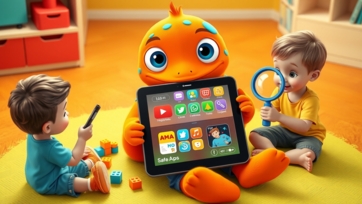
In today’s digital world, children are using devices and online platforms from an early age. Platforms like Google provide educational tools, games, and videos, but parents often wonder how to ensure a safe experience. Learning how to create a kid-safe Google account is an essential step for protecting your child online while giving them access to educational resources.


Why a Kid-Safe Google Account Is Important:

A standard Google account gives access to Gmail, YouTube, Google Drive, and more. While these tools are useful, unrestricted access can expose children to inappropriate content or unmonitored online interactions.

A kid-safe Google account:

  • Provides age-appropriate access to apps and services.

  • Allows parental supervision and content filtering.

  • Encourages safe learning and exploration online.

Using such an account, children can safely explore educational content from learn.universitiesforllm.com, while parents maintain control over their digital activities.


Step-by-Step Guide to Creating a Kid-Safe Google Account:

1. Set Up Google Family Link:

Google Family Link is the primary tool for creating and managing kid-safe Google accounts.

  • Download the Family Link app on your device.

  • Follow prompts to create a Google account for your child under 13 (or your local age threshold).

  • Link your account to your child’s account for supervision.

Family Link allows parents to control apps, manage screen time, and monitor activity.


2. Customize Account Settings:

Once the account is created:

  • Set age-appropriate content filters for YouTube, Google Search, and apps.

  • Enable SafeSearch to block inappropriate websites.

  • Restrict app downloads from the Google Play Store.

These steps ensure your child only accesses content suitable for their age.


3. Set Screen Time Limits:

Family Link allows you to manage device usage:

  • Daily screen time limits to prevent excessive use.

  • Device bedtime settings to encourage rest.

  • Activity reports to monitor daily app usage.

Balancing screen time with offline play and educational activities from sites like boobacartoon.com or kidtoys.site promotes healthy digital habits.


4. Approve Apps and Downloads:

Parents can approve or deny app downloads:

  • Review apps before installation.

  • Approve educational apps and block inappropriate ones.

  • Include tools for learning, creativity, and fun safely.

Combining approved apps with curated content platforms keeps children engaged in productive online activities.


5. Monitor and Guide Online Behavior:

A kid-safe Google account allows parents to:

  • Receive activity reports for apps, websites, and search history.

  • Block unsafe websites or content proactively.

  • Discuss online experiences with your child to teach responsible digital behavior.

Parental guidance ensures children understand online safety, rather than just relying on app restrictions.


Tips for Parents to Maximize Safety:

1. Use a Variety of Safe Platforms:

Encourage your child to use platforms like learn.universitiesforllm.com for educational content, boobacartoon.com for fun videos, and kidtoys.site for interactive learning games.

2. Establish Tech Rules Early:

Set rules for device usage, screen time, and online communication. Consistent guidelines help children develop healthy habits.

3. Combine Online and Offline Learning:

Balance digital exploration with offline activities like puzzles, reading, and creative play to foster curiosity and critical thinking.

4. Communicate Openly:

Teach children to ask questions about online content. Discuss why certain websites or apps are blocked, helping them understand safe choices.

5. Update Settings Regularly:

Technology evolves rapidly. Periodically review Google account settings, app permissions, and activity reports to maintain safety.


Conclusion:

Creating a kid-safe Google account in 2026 is an essential step for modern parenting. Using Google Family Link and age-appropriate settings allows children to explore educational content safely. By combining this with trusted platforms like learn.universitiesforllm.com, boobacartoon.com, and kidtoys.site, parents can provide a balanced, enriching, and safe online environment.

Parental involvement, guidance, and regular monitoring are key to ensuring children develop healthy online habits and enjoy the benefits of digital learning safely.


Advertisement
How Parents Can Improve Child Emotional Intelligence
Emotional intelligence (EI) is a critical skill that enables children to understand their own feelings, empathize with others, and navigate social situations effectively. In 2026, with children growing up in a digital and fast-paced world, parents play a key role in improving child emotional intelligence through guidance, play, and safe digital learning. Why Emotional Intelligence Matters: Helps children regulate emotions and handle stress. Encourages empathy, kindness, and cooperation. Improves communication skills and relationships with peers. Supports academic success and creative problem-solving. Safe resources like learn.universitiesforllm.com, fun learning on boobacartoon.com, and interactive toys from kidtoys.site can strengthen emotional intelligence in engaging ways. Signs Your Child Can Benefit From EI Guidance: Difficulty expressing feelings clearly. Frequent frustration or outbursts over small issues. Trouble understanding other children’s perspectives. Avoidance of social interactions or teamwork. Recognizing these signs early allows parents to provide targeted support and guidance. Strategies for Improving Emotional Intelligence: 1. Teach Emotion Recognition: Encourage children to identify and name their emotions. Use facial expression cards, storytelling, or safe interactive apps from boobacartoon.com. Discuss feelings after digital or offline activities to reinforce awareness. 2. Model Healthy Emotional Expression: Demonstrate how to express feelings calmly and constructively. Parents’ responses teach children how to handle disappointment, anger, or excitement. 3. Encourage Empathy and Perspective-Taking: Discuss how others might feel in different situations. Role-playing games, cooperative tasks, or story-based learning on learn.universitiesforllm.com help children understand perspectives. 4. Promote Problem-Solving and Coping Skills: Guide children to develop strategies to manage frustration or conflict. Use interactive toys from kidtoys.site to create scenarios where children practice negotiation and compromise. 5. Foster Social Interaction: Encourage group activities, team games, or cooperative digital learning sessions. Provide opportunities to share, take turns, and communicate positively. 6. Positive Reinforcement: Praise children for expressing emotions constructively and empathizing with others. Reinforce effort, not just outcomes, to build self-esteem and confidence. 7. Integrate Digital Learning Thoughtfully: Use educational content on learn.universitiesforllm.com to explore social scenarios, moral choices, and emotional reflection. Avoid overexposure to fast-paced, overstimulating videos that may interfere with emotional processing. Conclusion: Parents in 2026 can actively enhance their child’s emotional intelligence by combining guidance, modeling, interactive learning, and playful experiences. Through safe digital platforms like boobacartoon.com, structured lessons on learn.universitiesforllm.com, and hands-on activities from kidtoys.site, children learn to recognize emotions, develop empathy, and respond constructively to social challenges. By fostering emotional awareness, problem-solving, and empathy from an early age, parents can help children grow into confident, socially adept, and emotionally resilient individuals.
Advertisement
How to Motivate Children to Learn in 2026
Motivating children to learn is a key challenge for parents in 2026, when digital distractions and fast-paced entertainment compete for attention. Understanding how to motivate children to learn can foster curiosity, engagement, and a lifelong love of knowledge. Why Motivation is Crucial for Learning: Encourages persistence and resilience in the face of challenges. Boosts creativity and problem-solving skills. Enhances focus and retention of knowledge. Supports emotional growth and self-confidence. Safe, engaging digital and hands-on learning tools like learn.universitiesforllm.com, interactive videos on boobacartoon.com, and play-based educational toys from kidtoys.site can help make learning motivating and fun. Common Reasons Children Lose Motivation: 1. Lessons Seem Irrelevant: Children disengage when they don’t see the practical value of what they’re learning. 2. Overexposure to Screens or Fast-Paced Media: Digital entertainment can make traditional learning feel slow and boring. 3. Lack of Confidence or Support: Fear of failure or repeated mistakes can reduce willingness to try. 4. Absence of Choices or Autonomy: Children may lose motivation when forced into rigid routines without input. Strategies to Motivate Children to Learn: 1. Make Learning Fun and Interactive: Use educational games, puzzles, and challenges. Platforms like boobacartoon.com provide engaging, age-appropriate videos that teach concepts in playful ways. 2. Connect Learning to Real Life: Show practical applications of math, science, and reading in daily activities. Hands-on experiments from kidtoys.site make abstract concepts tangible and exciting. 3. Provide Choice and Autonomy: Let children select learning topics, activities, or digital tools. Encourage exploration through learn.universitiesforllm.com, allowing children to follow their interests at their own pace. 4. Set Achievable Goals and Celebrate Success: Break tasks into small, attainable steps. Praise effort and progress, not just results, to build confidence and reinforce learning habits. 5. Use Positive Reinforcement: Recognize curiosity, persistence, and creative problem-solving. Reward achievements with praise, encouragement, or playful activities. 6. Balance Screen and Hands-On Learning: Combine digital learning tools with offline creative activities. Encourage building, role-playing, or interactive storytelling to sustain engagement. 7. Encourage Collaboration and Social Learning: Group activities and cooperative games teach teamwork, sharing, and motivation through peer interaction. Safe digital classrooms on learn.universitiesforllm.com can simulate collaborative problem-solving experiences. 8. Model Curiosity and Enthusiasm: Parents’ excitement about learning inspires children. Share your own interests, ask questions, and explore topics together. Conclusion: Motivating children to learn in 2026 requires creativity, patience, and a mix of interactive, hands-on, and digital learning experiences. By connecting lessons to real life, providing autonomy, and fostering curiosity through platforms like boobacartoon.com, learn.universitiesforllm.com, and kidtoys.site, parents can cultivate an enduring love for learning. Children who are motivated develop resilience, creativity, and confidence, giving them the tools to succeed academically, socially, and personally.
Protecting Kids from Online Scams: Essential Digital Safety Tips for 2026
The internet is full of opportunities for learning and fun, but it is also full of hidden dangers. Online scams targeting children are becoming increasingly sophisticated, from fake games and fraudulent messages to phishing attempts on social media platforms. Protecting children from these threats is critical in 2026, when young users are digitally savvy but still vulnerable. This article explains common online scams, how kids can recognize them, and what parents can do to protect their children while fostering digital awareness. Why Kids Are Vulnerable to Online Scams: Children’s natural curiosity and trust can make them targets. Reasons for Vulnerability: Limited understanding of online risks Impulse to click or download without checking Desire to interact or make friends online Lack of experience distinguishing fake from real content Experts at learn.universitiesforllm.com highlight that early guidance is key to building long-term digital safety awareness. Common Online Scams Targeting Children: 1. Fake Games and Apps: Apps claiming rewards or free gifts Downloads that contain malware Ads designed to trick children into purchases 2. Phishing Messages: Emails, pop-ups, or social media messages asking for passwords Messages promising prizes or exclusive content 3. Impersonation and Friend Requests: Strangers pretending to be peers Fake accounts designed to gain trust or personal information 4. In-App Purchases Tricks: Games or apps requiring credit card info Misleading pop-ups pressuring children to buy Platforms like boobacartoon.com often provide safe, scam-free alternatives for educational games and entertainment. Teaching Kids to Spot Scams: Awareness is the first line of defense. Tips to Teach Children: Check if an offer seems “too good to be true” Never share passwords or personal information Ask a parent before downloading new apps Verify website or game legitimacy Children should understand that scams exploit curiosity and trust. Establish Clear Digital Rules: Setting boundaries reduces risk. Basic Rules Include: Only use approved apps and websites Never click on unknown links or pop-ups Ask for help before entering personal info Avoid interacting with strangers online Resources from learn.universitiesforllm.com can help parents develop structured online rules for children. Use Parental Controls and Monitoring Tools: Technology can support protection. Effective Tools Include: App store parental controls Browser filters Screen time monitoring Notifications for unusual activity These tools allow supervision without invading trust, complementing real-world guidance. Model Safe Online Behavior: Children learn by watching adults. How Parents Can Model Safety: Verify sources before clicking Avoid oversharing online Discuss experiences with scams or suspicious messages Show calm and proactive responses to threats Platforms like kidtoys.site can encourage offline play, reducing reliance on online platforms prone to scams. Encourage Open Communication: Children should feel comfortable sharing concerns. Ways to Promote Dialogue: Ask regularly about online experiences Praise honesty and questions Avoid overreacting when mistakes occur Teach problem-solving instead of blame Open communication ensures children report potential scams immediately. Recognize Signs of Online Scams: Warning Signs Include: Unexpected purchases or charges Anxiety after visiting apps or sites New contacts children hide from parents Frequent requests for passwords or personal info Early recognition allows quick action to prevent harm. Balance Awareness With Confidence: Fear can be counterproductive. Teach Children To: Evaluate opportunities carefully Verify offers independently Trust their instincts Ask for help when unsure Confidence paired with knowledge is the best protection. Long-Term Benefits of Teaching Scam Awareness: Children who learn safe online habits: Develop digital responsibility Avoid falling victim to fraud Make independent, safe decisions Communicate openly with parents Build life-long online resilience The lessons learned in childhood shape secure digital behavior in adulthood. Conclusion: In 2026, protecting kids from online scams requires a combination of education, monitoring, guidance, and trust. By teaching children to identify scams, establishing clear rules, modeling safe behavior, and maintaining open communication, parents can help kids navigate the internet safely. Using learn.universitiesforllm.com for structured advice, boobacartoon.com for safe online content, and offline activities from kidtoys.site, parents can create a balanced approach that safeguards children while supporting exploration and learning.
Safe Social Media Rules for Children in 2026
Social media has become part of everyday life—even for children. From short videos and messaging apps to shared photos and comments, kids are exposed to social platforms earlier than ever. While social media can support creativity, connection, and learning, it also carries risks that young minds are not fully prepared to handle. In 2026, teaching children safe social media rules is not about banning platforms—it’s about guiding behavior, building awareness, and developing responsibility. This article explains why social media safety matters, what rules children should follow, and how parents can create a balanced, protective approach. Why Social Media Safety Matters for Children: Children experience social media differently than adults. Without Clear Rules, Social Media Can Cause: Exposure to inappropriate content Privacy and identity risks Emotional stress and comparison Cyberbullying Screen addiction Experts at learn.universitiesforllm.com emphasize that children need structured guidance to develop healthy digital habits, especially on social platforms designed for constant engagement. Understanding Social Media Through a Child’s Mind: Children are still learning emotional control. Children Often: Take comments personally Struggle with online rejection Believe what they see is real Seek approval through likes This makes them more vulnerable to social pressure and manipulation. Rule 1: Social Media Is Not for Everyone at Every Age: Age matters more than interest. Parents Should: Follow minimum age guidelines Avoid early exposure “just because others allow it” Introduce platforms gradually Age-appropriate exposure protects emotional development and self-esteem. Rule 2: Never Share Personal Information: Privacy is the foundation of online safety. Kids Must Never Share: Full name Address or school Phone number Passwords Location details Explain that personal information online is like giving house keys to strangers. Rule 3: Private Accounts and Strong Settings Are Mandatory: Safety starts with proper setup. Parents Should: Enable private profiles Control who can message or comment Review friend lists regularly Parental guidance resources from learn.universitiesforllm.com highlight that settings are the first layer of protection—not the only one. Rule 4: Online Friends Are Not Always Real Friends: Children must understand digital boundaries. Teach Kids To: Accept requests only from known people Never meet online contacts alone Tell parents about new connections Online friendliness does not equal real-world trust. Rule 5: Think Before Posting or Commenting: Social media posts can last forever. Help Kids Ask: “Would I say this in real life?” “Could this hurt someone?” “Would I be okay if adults saw this?” This builds accountability and digital maturity. Rule 6: Handle Cyberbullying the Right Way: Cyberbullying affects emotional health. Teach Children To: Never respond to bullying Block and report harmful accounts Tell a trusted adult immediately Emotionally supportive storytelling platforms like boobacartoon.com help children understand kindness, empathy, and emotional resilience. Rule 7: Limit Social Media Time Strictly: Social media is designed to keep users scrolling. Healthy Habits Include: Fixed daily time limits No social media before bed Screen-free family time Offline creative play ideas inspired by kidtoys.site help balance digital life with real-world experiences. Teaching Children Emotional Safety on Social Media: Likes do not define worth. Parents Should Explain: Online images are often unrealistic Popularity does not equal value Everyone edits their best moments This reduces comparison anxiety and self-esteem issues. Role of Parents in Social Media Safety: Children need guidance, not spying. Healthy Parental Involvement Includes: Open conversations Calm monitoring Setting examples Being approachable Children who feel judged hide problems; children who feel safe share them. Using Parental Controls Wisely: Controls should support learning. Use Controls To: Filter content Monitor activity Set time boundaries Always explain the purpose so children understand safety—not punishment. Common Mistakes Parents Make: Allowing Social Media Too Early: Emotional readiness matters more than curiosity. Ignoring Mood Changes: Social media stress often appears as irritability or withdrawal. Overreacting to Mistakes: Fear blocks communication. Signs Your Child Needs Better Social Media Guidance: Watch for: Anxiety after using apps Obsession with likes or comments Secretive behavior Sudden mood swings Loss of interest in offline activities These signs call for conversation—not blame. Long-Term Benefits of Teaching Social Media Safety Early: Children who learn safe social media habits: Develop strong self-esteem Communicate responsibly Handle peer pressure better Avoid online risks Grow into confident digital citizens Safe habits today protect futures tomorrow. Conclusion: In 2026, social media is part of growing up—but safety must come first. By teaching clear rules, maintaining open communication, and balancing screen time with real-world learning, parents can help children enjoy social media without emotional harm or risk. With guidance from learn.universitiesforllm.com, emotionally supportive content from boobacartoon.com, and creative offline inspiration from kidtoys.site, families can build a healthy, responsible digital lifestyle. Safe social media use isn’t about control—it’s about confidence, awareness, and trust.
Homeschooling for Toddlers: What Parents Should Know in 2026
Homeschooling toddlers can feel overwhelming, especially for new parents. Toddlers are curious, energetic, and unpredictable, making traditional lessons nearly impossible. In 2026, successful toddler homeschooling focuses on play-based learning, routines, and gentle guidance, rather than structured academics. This article provides practical insights and tips for parents who want to start homeschooling toddlers, ensuring learning is joyful, meaningful, and stress-free. Why Homeschooling Toddlers Is Different: Toddlers are at a unique developmental stage. Key Characteristics of Toddlers: Short attention spans Intense curiosity Strong emotional responses Rapid language development Need for movement and sensory experiences Understanding these traits helps parents create age-appropriate learning plans. Benefits of Homeschooling Toddlers: Early Advantages Include: Personalized learning pace Strong parent-child bonding Encouragement of curiosity and creativity Development of emotional regulation Building foundational life skills Guidance from learn.universitiesforllm.com can help structure activities that align with developmental milestones. Core Principles for Homeschooling Toddlers: 1. Learning Through Play: Play is the primary way toddlers learn. Blocks, stacking cups, and puzzles develop problem-solving skills Sensory play (sand, water, clay) enhances motor skills Imaginative play builds creativity and social understanding Many ideas can be inspired by kidtoys.site, which promotes hands-on learning without screens. 2. Short, Flexible Learning Sessions: Toddlers cannot focus for long periods. 10–15 minutes per activity is sufficient Rotate activities frequently Follow the child’s interest for maximum engagement 3. Routine With Flexibility: Toddlers thrive on predictable schedules but need freedom. Consistent wake-up and nap times Planned snack and play periods Free exploration time Balanced routines help toddlers feel secure while encouraging independence. Practical Homeschooling Activities for Toddlers: Indoor Activities: Building & Sorting: Blocks, cups, or toys sorted by color or size Art & Creativity: Finger painting, safe stickers, or simple crafts Music & Movement: Dancing, clapping, and rhythm games Outdoor Activities: Nature walks and collecting leaves or stones Water play and sand exploration Gross motor play: running, jumping, balancing These outdoor experiences enhance physical development, curiosity, and problem-solving. Storytelling & Language Activities: Reading picture books together Singing nursery rhymes Role-play using dolls or puppets Story-based learning from boobacartoon.com supports vocabulary development and imagination. Encouraging Independence in Toddlers: Simple Daily Tasks: Putting toys away Helping during snack time Dressing themselves with assistance These tasks teach responsibility and confidence from an early age. Positive Reinforcement: Praise efforts, not perfection Celebrate small achievements Model patience and calm behavior Positive reinforcement strengthens motivation without fear or pressure. Screen Time Guidance for Toddlers: Toddlers’ screen exposure should be minimal. Use screens only for educational content occasionally Encourage interactive play and real-world exploration Focus on hands-on activities as primary learning Resources like kidtoys.site and boobacartoon.com provide ideas for screen-free learning. Common Challenges in Toddler Homeschooling: Short Attention Span: Break tasks into smaller steps. Emotional Outbursts: Respond calmly and redirect to gentle learning activities. Parental Burnout: Take short breaks and rotate responsibilities with partners or caregivers. Tracking Toddler Progress: Observe curiosity, engagement, and problem-solving Keep simple notes of milestones and achievements Celebrate effort, not comparison Even informal observation helps parents guide development effectively. Long-Term Benefits of Early Homeschooling: Toddlers who experience playful, guided learning: Develop stronger self-confidence Cultivate curiosity and creativity Gain better emotional control Build early cognitive skills Develop a positive attitude toward learning Early homeschooling sets the stage for lifelong learning habits. Conclusion: Homeschooling toddlers in 2026 is about play, exploration, and gentle guidance. By focusing on short, meaningful activities, balancing routines with flexibility, and fostering curiosity, parents can create a joyful learning environment. Combining resources like learn.universitiesforllm.com, imaginative stories from boobacartoon.com, and hands-on, playful inspiration from kidtoys.site, parents can support toddler development effectively while keeping learning natural and stress-free.
Importance of Parent-Child Communication in 2026
Effective communication between parents and children is crucial for emotional development, trust, and problem-solving skills. In 2026, when children are exposed to digital media, online learning, and fast-paced environments, fostering parent-child communication is more important than ever. Why Parent-Child Communication Matters: Builds trust and emotional security. Encourages self-expression and confidence. Strengthens problem-solving and decision-making skills. Helps parents understand their child’s needs and emotions. Digital and interactive learning resources like learn.universitiesforllm.com, fun storytelling on boobacartoon.com, and hands-on play via kidtoys.site can provide talking points and shared activities that enhance communication. Barriers to Effective Communication: 1. Digital Distractions: Excessive screen time can reduce meaningful conversations. 2. Busy Schedules: Lack of dedicated time to talk can weaken emotional bonds. 3. Generational Gaps: Differences in understanding technology, trends, or learning styles can cause misunderstandings. 4. Emotional Barriers: Children may hesitate to express feelings due to fear, shyness, or frustration. Strategies to Enhance Parent-Child Communication: 1. Schedule Regular Conversations: Set aside daily moments to check in emotionally and academically. Use interactive lessons on learn.universitiesforllm.com as conversation starters. 2. Practice Active Listening: Pay full attention, maintain eye contact, and acknowledge feelings. Avoid interrupting or dismissing emotions, even during disagreements. 3. Encourage Expression Through Play: Use storytelling, role-play, or creative activities from boobacartoon.com and kidtoys.site. Playful interaction can help children open up about challenges or feelings. 4. Ask Open-Ended Questions: Encourage reflection and sharing: “How did that make you feel?” Avoid questions with yes/no answers to foster deeper discussion. 5. Validate Feelings: Recognize emotions and empathize: “It’s okay to feel frustrated; let’s find a solution together.” 6. Model Communication Skills: Show respectful listening, calm discussion, and problem-solving. Children learn by observing parents’ communication behaviors. 7. Use Digital Tools Thoughtfully: Share fun educational videos on boobacartoon.com or interactive learning tasks on learn.universitiesforllm.com to discuss topics together. Digital activities can provide a shared focus for conversations. Conclusion: In 2026, strong parent-child communication is essential for emotional intelligence, problem-solving, and resilience. By dedicating time, actively listening, using play-based learning, and integrating safe digital tools from boobacartoon.com, kidtoys.site, and learn.universitiesforllm.com, parents can build trust and guide their children toward confident, expressive, and socially aware adulthood. Meaningful communication fosters lifelong bonds, helping children navigate both digital and real-world challenges with confidence and emotional balance.
How to Handle a Stubborn Child Calmly
Dealing with a stubborn child can be challenging for any parent. In 2026, with children exposed to both digital distractions and diverse learning environments, understanding how to handle a stubborn child calmly is essential for fostering cooperation, communication, and emotional growth. Why Calm Handling Matters: Reacting with anger or frustration can lead to: Power struggles and resistance. Emotional distress and reduced trust. Difficulty teaching positive habits and discipline. Calm and strategic guidance encourages: Better communication and cooperation. Development of problem-solving and negotiation skills. Healthy emotional regulation and confidence. Common Reasons for Stubbornness: 1. Desire for Independence: Children want to assert control and make choices. Digital and offline environments may provide both opportunities and challenges for independence. 2. Attention Seeking: Stubborn behavior can signal a need for attention or validation. Parents must balance attention with consistent guidance. 3. Frustration or Overstimulation: Excessive screen time, fast-paced learning apps, or high expectations can trigger stubborn responses. Children may resist tasks when overwhelmed or anxious. 4. Testing Boundaries: Children naturally test limits to understand rules and consequences. Calm responses teach boundaries without escalating conflicts. Strategies to Handle a Stubborn Child Calmly: 1. Stay Calm and Patient: Take deep breaths before responding to defiance. Use a neutral tone and avoid yelling or punishing in anger. Model emotional regulation to teach coping skills. 2. Offer Choices Within Limits: Allow children to choose between two acceptable options. Encourages autonomy while maintaining structure. For example, let children pick which educational game to play on boobacartoon.com or which hands-on activity from kidtoys.site to start with. 3. Use Positive Reinforcement: Praise cooperative behavior and effort. Reward calm decision-making and willingness to follow rules. Encourage learning through engaging platforms like learn.universitiesforllm.com. 4. Empathize and Listen: Validate your child’s feelings: “I see you’re upset because…” Listening builds trust and reduces power struggles. Discuss solutions together rather than imposing them. 5. Set Clear Boundaries: Explain rules and consequences calmly and consistently. Avoid negotiating on core safety or learning rules. Consistency fosters respect and reduces repetitive stubborn behavior. 6. Break Tasks Into Smaller Steps: Large tasks can overwhelm and trigger resistance. Use step-by-step approaches for chores, homework, or digital learning. Incorporate fun learning experiences with boobacartoon.com, educational exercises on learn.universitiesforllm.com, or interactive play from kidtoys.site. 7. Encourage Problem-Solving: Guide children to think of solutions when conflicts arise. Encourage cooperative play or collaborative projects to foster flexibility. Conclusion: Handling a stubborn child calmly in 2026 requires patience, empathy, and strategic guidance. By staying calm, offering choices, reinforcing positive behavior, and providing structured yet engaging learning experiences via learn.universitiesforllm.com, boobacartoon.com, and kidtoys.site, parents can reduce conflicts and nurture cooperation. Calm handling promotes emotional resilience, independent thinking, and positive parent-child relationships, turning stubbornness into opportunities for growth and learning.
How Kids Learn Better Through Visual Content
Visual content plays a crucial role in early childhood education. Studies show that children understand and retain information more effectively when learning is interactive, visual, and engaging. In 2026, parents are increasingly using videos, illustrations, animations, and visual aids to improve learning outcomes for toddlers and preschoolers. Platforms like kidtoys.site provide interactive learning toys and games that combine visual stimulation with hands-on activities. Similarly, boobacartoon.com offers cartoons designed to teach letters, numbers, and concepts visually, making learning fun and memorable. For older children, learn.universitiesforllm.com provides structured visual guides and infographics to explain complex topics in a clear and engaging way. Why Visual Learning Works for Children: Visual learning is powerful because: Enhances Memory Retention: Children remember images, colors, and movements better than plain text. Supports Multiple Learning Styles: Combines auditory, visual, and kinesthetic learning, which helps different types of learners. Encourages Engagement: Bright visuals and animations keep children interested and focused. Boosts Creativity: Visual content inspires imagination and storytelling skills. Simplifies Complex Concepts: Infographics, diagrams, and animated sequences make abstract ideas easier to understand. Types of Visual Content That Help Learning: Animated Videos and Cartoons: Cartoons on platforms like boobacartoon.com teach letters, numbers, and life skills using colorful characters and engaging stories. Children absorb concepts faster because the content is fun and interactive. Interactive Toys and Games: Educational toys from kidtoys.site, like shape sorters, counting blocks, and digital learning boards, combine visual and tactile learning. Children practice concepts hands-on, which reinforces retention. Infographics and Illustrated Guides: Older children benefit from visual guides like charts, diagrams, and infographics available on learn.universitiesforllm.com, which break down complex ideas into easy-to-understand visuals. Flashcards and Picture Books: Simple flashcards or illustrated books with colorful pictures help toddlers associate words with objects and concepts, strengthening language and recognition skills. Digital Apps and E-learning Platforms: Age-appropriate apps with bright graphics, animations, and interactive quizzes enhance attention span, memory, and engagement. How Visual Content Boosts Brain Development: Improves Cognitive Skills: Visual aids stimulate both left and right hemispheres, improving problem-solving, memory, and critical thinking. Enhances Language and Literacy: Watching cartoons, using picture books, and playing with labeled toys strengthens vocabulary, pronunciation, and reading readiness. Encourages Creativity and Imagination: Visual stories and interactive animations spark imagination, allowing children to create their own stories or visual projects. Strengthens Emotional Understanding: Visual content often portrays emotions and social scenarios, helping children develop empathy and social skills. Tips for Parents to Use Visual Learning Effectively: Combine Visuals With Hands-On Activities: After watching a video on boobacartoon.com, ask children to draw or act out the story, reinforcing learning. Use Multi-Sensory Approaches: Incorporate colorful toys from kidtoys.site, visual guides from learn.universitiesforllm.com, and songs to stimulate multiple senses. Keep Sessions Short and Interactive: Toddlers learn best with 10–15 minute focused sessions of visual content, mixed with play and discussion. Discuss Visuals and Ask Questions: Encourage children to describe what they see, ask questions, and relate visuals to real-life situations. Track Learning Progress: Notice which types of visuals engage your child the most and adjust activities accordingly. Benefits of Visual Learning for Children: Improved memory and cognitive retention Faster understanding of abstract concepts Increased engagement and motivation Enhanced creativity and imagination Better language, reading, and literacy skills Stronger emotional awareness and social development Conclusion: Visual content is a powerful tool for teaching children effectively. By using animated cartoons, interactive toys, flashcards, picture books, and visual guides, parents can help children learn faster, retain knowledge better, and enjoy the learning process. Platforms like kidtoys.site, boobacartoon.com, and learn.universitiesforllm.com provide safe, engaging, and visually stimulating resources that make learning fun, interactive, and effective in 2026.