Developing math skills at home helps kindergarten kids build confidence and problem-solving abilities early. Engaging, playful, and hands-on activities make math learning enjoyable while laying the foundation for future academic success. Parents can integrate counting, number recognition, patterns, addition, and subtraction into daily routines to strengthen children’s early math abilities.
This guide provides practical, parent-approved methods for teaching math skills at home in a fun and effective way.
Why Early Math Skills Matter for Kindergarten Kids:
Early math learning is crucial for both academic and cognitive development.
Key benefits include:
-
Strong counting and number recognition
-
Improved logical thinking and reasoning
-
Better memory, focus, and attention
-
Confidence in school readiness
-
Smooth transition to advanced math concepts
Children exposed to early math feel more comfortable and confident in classroom settings.
Best Age to Focus on Math at Home:
Kindergarten (ages 4–6) is the ideal stage to reinforce math concepts at home.
Age-based learning suggestions:
-
Ages 4–5: Counting 1–50, recognizing numbers, sorting objects, simple patterns
-
Ages 5–6: Counting 1–100, basic addition and subtraction, number comparison, patterns
Starting gradually ensures children remain motivated and confident.
Creating a Home Environment for Math Learning:
A supportive home environment encourages consistent practice.
Tips for parents:
-
Display colorful number charts and shape posters
-
Keep counting toys, puzzles, and blocks easily accessible
-
Use math in daily activities and routines
-
Encourage hands-on exploration and curiosity
Fun and consistency are more important than formal lessons.
Counting and Number Recognition Activities:
Counting and recognizing numbers are essential skills.
Effective activities:
-
Counting toys, blocks, or household objects
-
Matching number cards with objects
-
Tracing numbers in sand, flour, or on paper
-
Singing counting songs together
Interactive activities on learn-kids.com help children practice numbers naturally and enjoyably.
Patterns and Sorting Games for Kindergarten Kids:
Recognizing patterns improves logical thinking and problem-solving.
Fun activities:
-
Sorting objects by size, color, or shape
-
Creating sequences with blocks or beads
-
Identifying patterns in the environment
-
Playing matching or sorting games
Patterns prepare children for addition, subtraction, and more advanced math concepts.
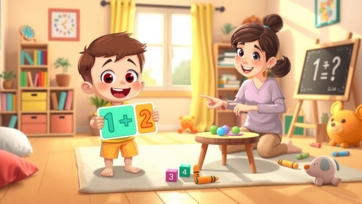
Introducing Basic Addition and Subtraction:
Hands-on activities help children understand early operations.
Simple methods:
-
Adding toys or snacks and counting the total
-
Removing items to illustrate subtraction
-
Using fingers or drawings to visualize problems
-
Daily exercises integrated into playtime
Hands-on activities enhance understanding better than worksheets alone.
Math Games to Make Learning Fun:
Games turn practice into playful learning.
Popular activities:
-
Dice games for counting and number recognition
-
Number matching or board games
-
Hopscotch and jump-count activities
-
Sorting competitions using everyday items
Educational games on keekan.com support early math learning while keeping children engaged.
Using Daily Routines for Math Practice:
Everyday experiences offer natural opportunities for learning.
Examples:
-
Counting plates, cups, or utensils
-
Sorting laundry by size or color
-
Measuring ingredients while cooking
-
Counting toys during cleanup
Routine-based math learning is practical and effective.
Songs and Rhymes for Reinforcing Math Skills:
Songs and rhymes help children memorize numbers and sequences.
Benefits:
-
Improves number memory and sequence
-
Encourages repetition and active participation
-
Makes learning fun and interactive
-
Develops listening and focus skills
Animated counting songs on boobacartoon.com are engaging for young learners.
Hands-On Math Activities Using Toys:
Physical interaction helps children grasp abstract concepts.
Recommended toys:
-
Counting blocks and beads
-
Number puzzles and stacking cups
-
Shape sorters and abacus
-
Simple board games with numbers
Hands-on activities strengthen understanding of counting, addition, and subtraction.
Introducing Measurement and Comparison Skills:
Comparisons and measurement help develop logical thinking.
Easy activities:
-
Comparing big and small objects
-
Sorting long and short items
-
Counting and comparing quantities
-
Measuring ingredients in the kitchen
Early exposure prepares children for geometry and advanced math concepts.
Common Challenges and Solutions:
Kindergarten kids may face learning challenges initially.
Common issues:
-
Skipping numbers or sequences
-
Confusing shapes or numbers
-
Losing focus quickly
Solutions:
-
Keep sessions short and playful
-
Use visual aids and hands-on methods
-
Praise effort and curiosity rather than speed
Patience and consistency are key for success.
Tips for Parents for Home Math Learning:
-
Make learning fun and interactive
-
Repeat concepts regularly
-
Use everyday objects to practice
-
Encourage hands-on exploration
-
Praise curiosity and effort
Positive reinforcement and regular practice help children develop strong math skills.
Digital Tools for Math Practice at Home:
Digital tools can enhance math learning if used wisely.
Best practices:
-
Choose educational apps or videos
-
Limit screen time
-
Participate alongside your child
-
Combine digital learning with hands-on activities
Platforms like learn-kids.com offer safe, structured, and interactive math exercises.
Final Thoughts:
Math skills for kindergarten kids at home are most effectively developed through playful counting, number recognition, patterns, addition, subtraction, games, hands-on toys, songs, and daily routines. Early math exposure builds confidence, logical thinking, and problem-solving skills, preparing children for school and beyond.
Parents and teachers play a crucial role in making math enjoyable and interactive. Positive experiences foster curiosity, confidence, and a lifelong love for learning numbers.