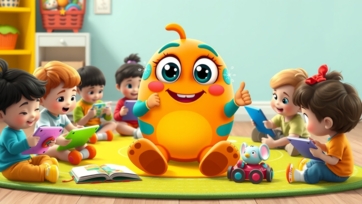
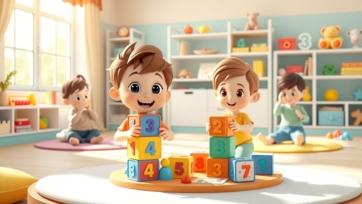
Counting and number recognition are essential skills for toddlers as they lay the foundation for early math learning. Introducing numbers in a fun and interactive way helps children develop confidence, problem-solving skills, and logical thinking. Toddlers learn best through hands-on experiences, playful activities, and daily routines.
This guide explains how parents can teach counting and number recognition to toddlers at home using simple, fun, and effective methods.
Why Counting and Number Recognition Are Important for Toddlers:
Early math skills help toddlers develop both cognitive and social abilities.
Key benefits include:
-
Understanding numbers and counting sequences
-
Developing logical thinking and reasoning
-
Enhancing memory and focus
-
Building confidence for preschool learning
-
Preparing for advanced math concepts
Children who start learning numbers early are more likely to enjoy math in later years.
Best Age to Start Counting and Number Recognition:
Toddlers can begin learning numbers as early as age 2.
Age-based milestones:
-
Ages 2–3: Recognizing numbers 1–10, counting simple objects
-
Ages 3–4: Counting 1–20, identifying number symbols, simple patterns
-
Ages 4–5: Counting 1–50, comparing quantities, early addition concepts
Starting gradually ensures toddlers feel comfortable and confident.
Creating a Number-Friendly Learning Environment:
A positive and supportive environment encourages toddlers to explore numbers naturally.
Tips for parents:
-
Display colorful number charts and posters
-
Keep counting toys, blocks, and puzzles accessible
-
Use numbers in daily routines, like mealtime or cleanup
-
Praise curiosity and exploration
No formal teaching skills are needed—playfulness and consistency are key.
Counting Activities for Toddlers:
Counting is the first step in understanding numbers.
Fun counting activities:
-
Counting toys, blocks, or stuffed animals
-
Counting fingers, toes, and steps
-
Counting snacks, fruits, or objects during play
-
Using number flashcards or interactive apps
Interactive counting activities on learn-kids.com provide engaging practice opportunities.
Number Recognition Activities for Toddlers:
Recognizing numbers helps toddlers connect visual symbols with quantities.
Simple methods:
-
Pointing out numbers in books, toys, or household items
-
Matching number cards with objects
-
Tracing numbers in sand, rice, or on paper
-
Singing number songs with visual cues
Repetition through play helps toddlers remember numbers and their sequences.
Learning Numbers Through Songs and Rhymes:
Songs and rhymes are effective for early number learning.
Benefits:
-
Improves memory and number sequence recognition
-
Encourages repetition and practice
-
Makes learning fun and engaging
-
Enhances listening skills
Animated counting rhymes on boobacartoon.com are especially helpful for toddlers.
Hands-On Math Learning with Toys:
Toddlers learn best through hands-on interaction.
Recommended toys:
-
Counting blocks and beads
-
Number puzzles and stacking cups
-
Shape sorters and number mats
-
Simple abacus
Hands-on play strengthens recognition of numbers and counting skills.
Daily Routine Math Learning:
Everyday activities are natural opportunities for number practice.
Examples:
-
Counting plates, spoons, and cups at mealtime
-
Counting steps while walking or climbing stairs
-
Sorting toys during cleanup
-
Measuring ingredients for cooking
Integrating numbers into daily routines makes learning practical and enjoyable.
Introduction to Patterns and Simple Math Concepts:
Patterns help toddlers develop early logical thinking.
Easy activities:
-
Creating patterns with toys or blocks
-
Identifying sequences in everyday objects
-
Sorting objects by size, shape, or color
-
Playing simple matching games
Pattern recognition lays the foundation for later math concepts like addition and subtraction.
Common Challenges and Solutions:
Toddlers may face difficulties with numbers initially.
Common issues:
-
Skipping numbers while counting
-
Confusing number shapes
-
Losing focus quickly
Solutions:
-
Keep activities short and playful
-
Use visual aids and hands-on methods
-
Praise effort rather than perfection
Patience and repetition are essential for toddlers’ learning success.
Tips for Parents to Teach Counting and Number Recognition:
-
Keep sessions short and fun
-
Use everyday objects for practice
-
Repeat numbers frequently
-
Encourage hands-on exploration
-
Praise curiosity and effort
Consistency and positive reinforcement are key to building early math skills.
Digital Tools for Number Learning:
Digital learning tools can supplement hands-on activities if used wisely.
Best practices:
-
Choose educational apps or videos only
-
Limit screen time
-
Participate in activities together
-
Combine digital and physical learning
Platforms like learn-kids.com provide safe, interactive number recognition and counting exercises for toddlers.
Final Thoughts:
Counting and number recognition for toddlers is most effective when learning is interactive, playful, and stress-free. Through hands-on activities, daily routines, songs, games, and digital tools, toddlers build strong foundations for math and cognitive development.
Parents and teachers play a crucial role in making numbers fun and engaging. Early exposure encourages confidence, curiosity, and a lifelong love for learning numbers.