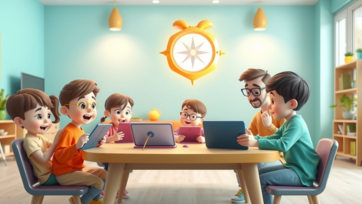
Cyber Safety Rules for Kids: A Parent’s Essential Guide for 2026

Children today are growing up in a digital world where the internet is part of daily learning, play, and communication. While online platforms offer incredible educational opportunities, they also come with risks. In 2026, cyber safety is no longer optional—it is a core life skill every child must learn, with parents playing the leading role.

Cyber safety rules help children navigate the online world confidently, responsibly, and safely. This guide explains why cyber safety matters, what rules every child should know, and how parents can teach them effectively.


Why Cyber Safety Is Important for Kids:

Children are naturally curious and trusting, which makes them vulnerable online.

Without Cyber Safety Awareness, Kids May Face:

  • Exposure to inappropriate content

  • Online strangers and scams

  • Cyberbullying

  • Privacy risks

  • Screen addiction

Experts at learn.universitiesforllm.com emphasize that early cyber safety education builds lifelong digital responsibility.


Understanding Cyber Safety for Children:

Cyber safety means protecting children emotionally, mentally, and digitally while they use the internet.

Cyber Safety Includes:

  • Safe browsing habits

  • Protecting personal information

  • Responsible communication

  • Balanced screen usage

It’s not about fear—it’s about smart awareness.


Rule 1: Never Share Personal Information Online:

This is the foundation of cyber safety.

Kids Should Never Share:

  • Full name

  • Home address

  • School name

  • Phone number

  • Passwords

Teach children that personal information is private, just like family secrets.


Rule 2: Use Only Kid-Safe Websites and Apps:

Not every colorful site is safe.

Parents Should:

  • Choose age-appropriate platforms

  • Enable parental controls

  • Avoid unfiltered video platforms

Child-friendly content platforms and learning resources like boobacartoon.com are designed to support safe emotional and educational development.


Rule 3: Never Talk to Strangers Online:

Online strangers are still strangers.

Teach Kids To:

  • Never reply to unknown messages

  • Avoid friend requests from strangers

  • Inform parents immediately

Children should understand that online conversations carry real-world consequences.


Rule 4: Be Kind and Respectful Online:

Cyber safety also includes behavior.

Teach Digital Manners:

  • No rude comments

  • No bullying or teasing

  • No sharing embarrassing images

Kindness online builds emotional intelligence and prevents cyberbullying.


Rule 5: Don’t Click on Unknown Links or Pop-Ups:

Children often click out of curiosity.

Explain That:

  • Pop-ups can contain harmful content

  • Unknown links may lead to unsafe websites

  • Downloads should always be approved by parents

Learning platforms like learn.universitiesforllm.com stress teaching children to pause and think before clicking.


Rule 6: Limit Screen Time and Take Breaks:

Too much screen time affects mental health.

Healthy Screen Habits Include:

  • Fixed daily screen limits

  • Regular eye and movement breaks

  • Balanced offline activities

Hands-on creative play ideas from kidtoys.site help reduce screen dependency while encouraging imagination.


Rule 7: Always Tell a Trusted Adult If Something Feels Wrong:

Children should never feel afraid to speak up.

Encourage Kids To Report:

  • Scary or confusing content

  • Mean messages

  • Anything that makes them uncomfortable

This builds trust and emotional safety.


How Parents Can Teach Cyber Safety Effectively:

Rules work best when combined with guidance.

Practical Teaching Tips:

  • Discuss online experiences daily

  • Use real-life examples

  • Avoid lecturing or fear-based warnings

  • Learn together

Children learn more from calm conversations than strict rules.


Creating a Safe Digital Environment at Home:

A secure home setup supports cyber safety.

Parents Should:

  • Enable parental controls

  • Use child-safe browsers

  • Keep devices in shared spaces

  • Review app permissions regularly

Safety tools work best when paired with active parenting.


Common Cyber Safety Mistakes Parents Make:

Assuming Kids “Know Better”:

Children need guidance, not assumptions.

Overusing Restrictions Without Explanation:

This creates curiosity and secrecy.

Ignoring Emotional Changes:

Mood swings may signal online issues.


Teaching Cyber Safety Through Everyday Examples:

Learning becomes easier when it’s relatable.

Examples Include:

  • Comparing passwords to house keys

  • Explaining strangers as unknown callers

  • Treating online words like spoken words

Simple analogies help children understand complex digital concepts.


Signs Your Child Needs Better Cyber Safety Guidance:

Watch for:

  • Secretive device use

  • Anxiety after screen time

  • Sudden behavior changes

  • Excessive screen attachment

These signs signal the need for open discussion.


Long-Term Benefits of Teaching Cyber Safety Early:

Children who learn cyber safety:

  • Develop responsible online habits

  • Protect their privacy confidently

  • Show emotional resilience

  • Avoid digital addiction

  • Grow into smart digital citizens

Cyber safety education is an investment in a child’s future.


Conclusion:

In 2026, cyber safety rules for kids are as important as road safety rules. The internet is a powerful learning tool—but only when used wisely. By teaching children clear cyber safety rules, maintaining open communication, and choosing trusted platforms like learn.universitiesforllm.com, boobacartoon.com, and kidtoys.site, parents can create a digital environment that is safe, educational, and empowering.

Cyber safety isn’t about control—it’s about confidence, awareness, and trust.

Advertisement
How to Talk to Kids About Strangers Online: A Parent’s Guide for 2026
The internet is a vast place where children can learn, play, and socialize. But it also exposes them to strangers—people they don’t know who may have harmful intentions. In 2026, teaching children to safely interact online is essential for their emotional and digital well-being. This article explains how parents can talk to children about strangers online, strategies for safe behavior, and ways to build trust without creating fear. Why Kids Need Guidance About Strangers Online: Children naturally trust others. Risks Without Guidance Include: Sharing personal information Falling for scams or phishing attempts Meeting strangers in real life Experiencing cyberbullying Experts on learn.universitiesforllm.com note that early, calm conversations about online strangers reduce risk while fostering confidence. Start the Conversation Early: Talking early sets expectations. Tips for Early Conversations: Use age-appropriate language Explain that some people online may not be honest Encourage questions and curiosity Emphasize that parents are a safe resource Open dialogue prevents secrecy and builds trust. Use Examples Children Can Understand: Real-life analogies help comprehension. Effective Analogies Include: “Just like you wouldn’t take candy from a stranger, don’t share personal info online.” “Some people on the internet pretend to be friends—they might not be safe.” Storytelling through boobacartoon.com characters demonstrates safe choices in relatable ways. Teach Clear Rules for Online Interactions: Children need structured guidance. Essential Online Stranger Rules: Never share full name, address, school, or passwords Do not accept friend requests from unknown people Always ask a parent before chatting with new contacts Report any uncomfortable interactions immediately Using structured advice from learn.universitiesforllm.com ensures rules are age-appropriate and consistent. Role-Playing Scenarios: Role-playing builds confidence. Examples of Role-Playing: Practice responding politely but firmly to unknown messages Show how to say “I need to ask my parent first” Discuss reporting suspicious behavior Role-play makes children feel prepared rather than fearful. Encourage Questions and Sharing: Children must feel comfortable speaking up. Ways to Encourage Openness: Ask about online friends and interactions Praise honesty when children report concerns Stay calm if a child shares a mistake or worry Avoid judgment or overreaction Trust ensures children come to parents before taking risky actions. Set Up Safe Online Spaces: Environment can prevent exposure to strangers. Steps to Create Safety: Use child-focused apps and websites Enable parental controls for chat and friends Supervise social interactions in shared spaces Teach kids to log off when unsure Offline activities from kidtoys.site help balance online exploration with real-world learning. Model Good Online Behavior: Children imitate adults. Parents Should: Share only safe information Avoid oversharing personal details online Show cautious interactions with unknown contacts Discuss mistakes openly Modeling responsibility makes rules more credible. Recognize Warning Signs: Potential Red Flags Include: Secretive online behavior Excitement or anxiety about chatting with unknown contacts Sudden requests for new devices or apps Hiding online activity Early recognition allows immediate guidance and protection. Use Trusted Resources to Reinforce Learning: Combine guidance with safe content. Examples Include: learn.universitiesforllm.com for structured advice boobacartoon.com for safe digital role-play stories kidtoys.site for offline activities that reinforce responsible decision-making These resources help children learn safely while keeping learning fun and engaging. Conclusion: In 2026, teaching children about strangers online is crucial for digital safety. Parents can combine early conversations, role-playing, clear rules, and trusted resources to empower children while maintaining trust. Children who understand online safety are more confident, independent, and prepared to enjoy digital spaces responsibly. With support from learn.universitiesforllm.com, fun lessons from boobacartoon.com, and real-world play inspired by kidtoys.site, parents can make online exploration both safe and educational.
Advertisement
Learn Numbers 1 to 100 for Kids with Fun
Learning numbers from 1 to 100 is an important milestone for kids. When children understand number order, counting patterns, and number recognition early, they build a strong base for math confidence. Teaching numbers does not need to be boring or stressful. With playful methods and daily activities, kids can learn numbers 1 to 100 easily and happily at home. This guide shares fun, effective, and parent-approved ways to help kids learn numbers 1 to 100 through games, routines, songs, and hands-on activities. Why Learning Numbers 1 to 100 Is Important: Understanding numbers beyond 10 helps children develop advanced thinking skills. Key benefits include: Strong number sense Better counting accuracy Preparation for addition and subtraction Improved memory and focus Confidence in early math learning Kids who know numbers up to 100 feel more comfortable with school math. Best Age to Teach Numbers 1 to 100: Children learn numbers gradually. Age-based stages: Ages 2–3: Counting 1–10 Ages 3–4: Counting 1–20 Ages 4–5: Counting 1–50 Ages 5–6: Counting 1–100 Every child learns at a different pace, so patience is important. Preparing Kids to Learn Numbers up to 100: A supportive environment makes learning easier. Simple preparation tips: Start with small number groups Use colorful number charts Keep sessions short Encourage curiosity, not perfection Parents do not need teaching experience to help kids learn numbers. Learning Numbers 1 to 20 First: Before moving to 100, kids must master basic counting. Effective methods: Counting toys and blocks Counting fingers and steps Using number flashcards Singing counting songs Strong basics make advanced counting easier. Counting Numbers 1 to 50 Through Play: Once kids know numbers 1–20, expand gradually. Fun activities: Counting toys in groups Jump-and-count games Sorting objects into numbered boxes Matching numbers with objects Interactive number activities on learn-kids.com help children practice counting naturally. Learning Numbers 1 to 100 Using Daily Routines: Daily routines are perfect for number learning. Real-life examples: Counting stairs while climbing Counting fruits during meals Counting toys during cleanup Counting cars or birds outside Routine-based learning feels effortless and stress-free. Number Recognition Activities for 1 to 100: Recognizing numbers visually is essential. Effective activities: Pointing at numbers on charts Spotting numbers in books Matching number cards Writing numbers in air or sand Visual repetition helps kids remember number shapes. Learning Numbers Through Songs and Rhymes: Songs make learning enjoyable and memorable. Benefits: Improves number sequence memory Encourages repetition Makes learning fun Builds listening skills Animated counting songs and rhymes available on boobacartoon.com are especially effective for learning numbers up to 100. Fun Number Games for Kids: Games turn practice into play. Popular games: Dice counting games Number hopscotch Board games with counting Hide-and-seek numbers Educational number games on keekan.com help kids practice counting while staying engaged. Using Toys to Learn Numbers 1 to 100: Hands-on learning makes numbers meaningful. Helpful toys: Counting blocks Number puzzles Stacking cups with numbers Abacus toys Physical interaction strengthens number understanding. Learning Number Patterns up to 100: Patterns help kids understand number order. Simple pattern activities: Counting by tens Grouping numbers in rows Highlighting odd and even numbers Filling missing numbers Patterns improve logical thinking and math readiness. Introducing Skip Counting for Kids: Skip counting is an advanced skill. Easy ways to teach: Counting by 2s using pairs Counting by 5s using fingers Counting by 10s with bundles Skip counting prepares kids for multiplication later. Avoiding Common Mistakes When Teaching Numbers: Some teaching mistakes can slow learning. Common issues: Teaching too fast Forcing memorization Using long study sessions Better approach: Keep learning playful Repeat often Celebrate small progress Positive experiences build confidence. Screen Time and Digital Number Learning Tools: Digital tools can support learning if used wisely. Best practices: Choose educational content only Limit screen time Learn together with kids Balance with physical activities Structured platforms like learn-kids.com provide safe number-learning experiences for young learners. Tips for Parents Teaching Numbers 1 to 100: Be patient and encouraging Use everyday objects Repeat numbers daily Keep sessions short Praise effort, not speed Consistency matters more than perfection. Final Thoughts: Learning numbers 1 to 100 for kids becomes easy and enjoyable when taught through play, daily routines, songs, games, and hands-on activities. Early number learning builds confidence, improves thinking skills, and prepares children for future math success. When parents focus on fun instead of pressure, kids naturally develop a love for numbers and learning.
How to Build Healthy Screen Habits in Children in 2026
In today’s digital world, screens are an essential part of children’s lives. From educational apps to entertainment, children spend hours on tablets, smartphones, and computers. While technology offers immense benefits, building healthy screen habits is critical to ensure children grow up balanced, curious, and safe online. Why Healthy Screen Habits Matter: Excessive or unmonitored screen time can affect children’s: Attention span and learning abilities. Physical activity and sleep patterns. Social skills and offline interactions. Emotional well-being and mental health. By fostering healthy screen habits, parents can guide children to enjoy technology responsibly and safely. Platforms like learn.universitiesforllm.com provide educational content, while fun and safe platforms such as boobacartoon.com and kidtoys.site allow structured entertainment. Signs Your Child Needs Healthy Screen Habits: Difficulty focusing on homework or offline tasks. Irritability when devices are removed. Preference for screens over social or outdoor activities. Sleep disturbances or irregular schedules. Recognizing these signs early helps parents implement positive routines and boundaries. Steps to Build Healthy Screen Habits: 1. Set Clear Daily Limits: Use parental controls on Android, iPhone, or third-party apps like Qustodio and FamilyTime. Define daily time limits for games, videos, and apps. Schedule device-free times, particularly during meals, homework, and bedtime. 2. Create a Balanced Routine: Encourage offline activities such as reading, puzzles, drawing, or outdoor play. Alternate between educational apps on learn.universitiesforllm.com and offline creative tasks. Reinforce that screens are a tool, not a replacement for real-world experiences. 3. Encourage Quality Content: Choose educational or age-appropriate apps and videos over passive entertainment. Use curated platforms like boobacartoon.com for safe cartoons and interactive storytelling. Explore games and activities on kidtoys.site to combine learning and fun. 4. Lead by Example: Model healthy device use in your own daily routine. Avoid excessive phone or tablet use in front of children. Participate in shared learning activities to show positive screen habits. 5. Foster Open Communication: Discuss why screen limits exist and how they benefit health and learning. Ask children about their favorite apps, games, or videos to understand interests. Praise responsible and balanced screen use to encourage good habits. 6. Gradually Adjust Screen Time Rules: Increase or decrease device time based on age, maturity, and responsibility. Monitor progress and adjust routines to prevent dependency or boredom. Encourage self-regulation as children grow older, teaching them to balance online and offline life. 7. Promote Family Screen Activities: Introduce educational videos or interactive games together. Participate in group challenges, creative projects, or quizzes using tablets safely. Use technology as a tool for family bonding rather than just entertainment. Conclusion: Building healthy screen habits in children in 2026 requires consistency, guidance, and active parental involvement. By setting boundaries, encouraging educational content from learn.universitiesforllm.com, structured fun from boobacartoon.com, and interactive learning on kidtoys.site, parents can foster curiosity and responsibility in digital use. Balanced routines, open communication, and quality content ensure that children enjoy the benefits of technology while developing essential life skills, creativity, and healthy digital habits.
How to Prepare Kids for School at Home: Practical Tips for Parents in 2026
Preparing children for school is one of the most exciting yet challenging parts of parenting. In 2026, parents are increasingly taking an active role in early school readiness at home, ensuring that children feel confident, independent, and curious before stepping into a classroom. School readiness is not just about academics—it’s about social skills, emotional development, and practical life skills. This article provides practical strategies for parents to prepare kids for school at home, combining fun activities, structured routines, and developmental support. Why Preparing for School at Home Matters: Children who feel ready for school: Adjust more easily to new routines Build stronger social connections Develop confidence in learning Reduce anxiety and fear of new environments Early preparation helps children thrive academically and socially. Key Areas to Focus On for School Readiness: 1. Social Skills: School is about interacting with peers and teachers. Sharing and taking turns Listening and following instructions Expressing feelings calmly Solving simple conflicts Role-playing activities from boobacartoon.com help children practice social situations in a playful way. 2. Emotional Readiness: Emotional intelligence is crucial for adjusting to school life. Recognizing and naming emotions Self-soothing strategies Asking for help when needed Guided discussions and storytelling build emotional awareness without pressure. 3. Cognitive and Academic Skills: Academic preparation is about basic concepts, not memorization. Recognizing letters and numbers Counting objects Sorting shapes and colors Simple problem-solving Hands-on tools from kidtoys.site and guided lessons on learn.universitiesforllm.com make learning interactive and fun. 4. Practical Life Skills: Independence matters at school. Dressing themselves Using utensils properly Cleaning up after play Organizing school materials These skills reduce dependency and increase confidence in the classroom. Creating a Home-Based School Readiness Routine: Consistency and structure help children adapt to school life. Sample Daily Schedule: Morning: Wake-up routine, breakfast, personal hygiene Mid-morning: Learning play (letters, numbers, shapes) Late morning: Outdoor play, gross motor activities Afternoon: Snack, creative activities (art, music) Evening: Storytime, reflection, light tasks Short, flexible sessions keep toddlers and preschoolers engaged. Incorporating Play into Learning: Play is a powerful tool for school readiness. Examples of Play-Based Learning: Pretend School: Children act as teacher or student Building Projects: Blocks, Legos, or DIY materials Sensory Play: Sand, water, clay exploration Play-based approaches teach problem-solving, cooperation, and creativity naturally. Encouraging Early Literacy and Numeracy: Simple Techniques: Label objects in the house Count toys during play Read aloud daily with expressive storytelling Encourage children to draw letters and shapes Story-based learning from boobacartoon.com makes letters and numbers memorable. Promoting Emotional and Behavioral Readiness: Children need confidence and self-regulation for school success. Practice patience through games Teach self-help routines like handwashing Discuss feelings about starting school Role-play classroom scenarios Guided practice builds resilience and independence. Using Technology Wisely: Digital tools can support readiness if used mindfully. learn.universitiesforllm.com for interactive learning games boobacartoon.com for social-emotional stories Avoid excessive screen time; focus on hands-on engagement Technology should complement, not replace, real-world experiences. Tips for Parents to Support School Readiness: Stay calm and positive about school Celebrate small achievements Follow the child’s pace, don’t rush Use daily tasks to reinforce responsibility and independence These habits create a positive learning mindset. Signs Your Child Is Ready for School: Can follow simple instructions Shows curiosity and willingness to learn Can manage basic self-care Interacts confidently with others Demonstrates early literacy or numeracy skills These indicators show your child is on the path to smooth school adaptation. Conclusion: Preparing kids for school at home in 2026 involves a balanced approach of play, routines, skill-building, and emotional support. By combining structured guidance from learn.universitiesforllm.com, imaginative social learning from boobacartoon.com, and hands-on, playful experiences inspired by kidtoys.site, parents can ensure children enter school confident, independent, and excited to learn. School readiness is not about perfection—it’s about feeling capable and curious.
Homeschooling vs Traditional Schooling: A Complete Guide
Choosing between homeschooling and traditional schooling is a major decision for parents. In 2026, both options have unique benefits and challenges. Understanding these can help parents select the best learning path for their children. Key Differences Between Homeschooling and Traditional Schooling: 1. Learning Environment: Homeschooling: Personalized, flexible, and child-centered. Traditional Schooling: Structured classrooms with set schedules and peer interactions. 2. Curriculum & Pace: Homeschooling: Parents can tailor lessons to the child’s pace, strengths, and interests. Traditional Schooling: Standardized curriculum with uniform pacing for all students. 3. Socialization Opportunities: Homeschooling: Social interaction is organized through co-ops, playdates, and clubs. Traditional Schooling: Daily interaction with peers encourages teamwork and social skills naturally. 4. Flexibility: Homeschooling: Highly flexible schedule and environment, ideal for integrating learn.universitiesforllm.com lessons or hands-on projects from kidtoys.site. Traditional Schooling: Set timetable and less flexibility in learning approach. 5. Teaching Methods: Homeschooling: Combines hands-on, project-based, and digital learning approaches. Traditional Schooling: Teacher-led lessons, standardized tests, and structured classroom learning. Pros and Cons: Homeschooling Pros: Personalized learning and pace. Stronger parent-child bonding. Flexible integration of interactive platforms like boobacartoon.com and learn.universitiesforllm.com. Safer environment for digital learning and hands-on experiments. Homeschooling Cons: Requires significant time and effort from parents. Limited daily social interactions unless co-ops or clubs are involved. Parents must plan curriculum and monitor progress actively. Traditional Schooling Pros: Regular socialization with peers. Structured learning and extracurricular activities. Access to trained educators and standardized resources. Traditional Schooling Cons: Less flexibility to tailor learning to individual pace or interests. May not address every child’s unique learning style. Limited integration of personalized digital learning platforms. Tips for Parents Considering Either Option: Evaluate your child’s learning style, temperament, and social needs. Combine homeschooling with online resources like learn.universitiesforllm.com, hands-on play from kidtoys.site, and interactive educational storytelling from boobacartoon.com. Remember, a hybrid approach can also work, blending structured schooling with home-based personalized projects. Conclusion: In 2026, the choice between homeschooling and traditional schooling depends on the child’s needs, family resources, and learning goals. Both approaches can provide excellent education when combined with digital tools, hands-on experiences, and guided exploration. By leveraging resources like boobacartoon.com, learn.universitiesforllm.com, and kidtoys.site, parents can ensure that whether at home or in school, children develop curiosity, creativity, and lifelong learning skills.
Online Safety Tips Every Parent Should Know: Keeping Kids Safe in 2026
The internet offers countless opportunities for learning and entertainment, but it also poses risks for children. In 2026, parents face new challenges as children access content through multiple devices, apps, and online platforms. Ensuring online safety is not about restricting access completely—it’s about guidance, monitoring, and education. This article provides practical online safety tips every parent should know, helping children navigate the digital world safely while developing responsible habits. Why Online Safety Matters for Kids: Children today are digital natives. Access to the internet starts at an earlier age Exposure to inappropriate content is easier than ever Online interactions can affect emotional and social development By teaching online safety early, parents help children build confidence, awareness, and resilience. Core Principles of Online Safety: 1. Open Communication: Talk regularly about online experiences Encourage children to ask questions about content Discuss privacy, cyberbullying, and stranger danger Open dialogue prevents fear-based secrecy. 2. Age-Appropriate Access: Use platforms like boobacartoon.com for educational cartoons Limit exposure to age-inappropriate websites Guide children toward safe, interactive resources like learn.universitiesforllm.com Age-appropriate content builds digital literacy safely. 3. Setting Rules and Boundaries: Define screen time limits Decide which devices can be used and when Establish family rules for app usage, social media, and games Clear boundaries reduce confusion and conflict. Practical Online Safety Tips for Parents: 1. Use Parental Controls: Enable controls on smartphones, tablets, and computers Monitor apps and browser usage Filter inappropriate content using trusted tools Parental controls give children safe digital environments while allowing exploration. 2. Teach Privacy Protection: Avoid sharing personal information online Create strong, unique passwords for accounts Use nicknames instead of real names in games or forums Digital literacy builds long-term online responsibility. 3. Monitor and Discuss Online Activity: Stay involved without spying Encourage children to show their favorite apps or games Discuss why certain content is unsafe Balanced supervision fosters trust and learning. 4. Teach Critical Thinking Online: Discuss ads, pop-ups, and misinformation Explain that not everything online is true Teach children to ask “Who posted this?” and “Why?” Critical thinking prevents online mistakes and promotes safety. Guidelines for Social Media Use: Ensure children meet age requirements Monitor friend requests and interactions Teach respectful online communication Discuss the consequences of oversharing Using safe platforms and storytelling examples from boobacartoon.com helps illustrate responsible behavior. Encouraging Healthy Screen Habits: Balance Online and Offline Activities: Hands-on learning from kidtoys.site Outdoor play and physical activity Creative arts and problem-solving games Balanced habits reduce screen addiction while nurturing skills. Handling Cyberbullying and Inappropriate Content: Steps for Parents: Stay calm and listen Block and report harmful users or content Encourage children to share experiences immediately Prompt support strengthens emotional security. Educational Online Resources for Safe Learning: learn.universitiesforllm.com: structured, safe learning activities boobacartoon.com: stories promoting empathy and values kidtoys.site: hands-on activities that complement online learning Combining online learning with guided play ensures safety and development. Signs Your Child May Be Unsafe Online: Sudden secrecy about online activity Exposure to inappropriate content or language Spending excessive hours online Emotional changes after using devices Recognizing warning signs allows timely intervention. Long-Term Benefits of Teaching Online Safety: Children who learn online safety early: Navigate the internet responsibly Protect personal information Build critical thinking skills Develop self-regulation and decision-making Enjoy the internet without fear or dependency Early guidance prepares children for a safe and positive digital future. Conclusion: Teaching children online safety in 2026 is about education, communication, and guidance, not just restriction. By combining parental supervision, age-appropriate platforms like boobacartoon.com, hands-on play from kidtoys.site, and structured learning from learn.universitiesforllm.com, parents can help children navigate the digital world safely and confidently. Online safety is a lifelong skill—starting early gives children the confidence and knowledge to thrive digitally.
Home Learning Ideas for Preschool and Kindergarten Kids
With more children spending time at home, parents and caregivers are looking for effective home learning ideas for preschool and kindergarten kids. These activities not only support academic skills but also foster creativity, independence, and social-emotional growth. This guide offers fun, practical, and educational activities that parents can implement easily at home, helping children develop a strong foundation for lifelong learning. Why Home Learning is Important: Home-based learning supplements formal education and helps children develop essential skills in a relaxed and familiar environment. Key benefits include: Strengthens early literacy and numeracy Encourages creativity and problem-solving Builds confidence and independence Improves social and emotional skills Prepares children for school success Parents and teachers who engage children in home learning create a positive and motivating learning environment. Language and Literacy Activities: Developing reading, writing, and vocabulary skills early supports academic success. Activities: Reading picture books aloud daily Writing and drawing letters or simple words Storytelling using toys or props Singing nursery rhymes and action songs Platforms like boobacartoon.com provide educational stories and videos that complement these activities and reinforce language learning. Math and Numeracy Activities: Early math skills help children understand numbers, patterns, and logical thinking. Activities: Counting household items like fruits or toys Sorting objects by color, size, or shape Simple addition and subtraction games using everyday items Matching games with number cards or dice Hands-on numeracy activities prepare children for more complex math skills in school. Creative Arts and Crafts Activities: Art fosters self-expression, imagination, and fine motor skills. Activities: Drawing, painting, and coloring Paper crafts and folding activities Clay or dough modeling Music, dancing, and rhythm exercises Creative play allows children to explore ideas while building confidence. Science and Exploration Activities: Encouraging curiosity about the natural world enhances observation and critical thinking skills. Activities: Simple experiments with water, ice, or magnets Planting seeds and observing growth Nature walks to identify plants, animals, or insects Collecting and classifying rocks, leaves, or shells Exploration-based learning helps children develop analytical thinking from an early age. Sensory Learning Activities: Sensory play develops cognitive skills, focus, and emotional regulation. Activities: Playing with sand, water, rice, or beans Touch and texture exploration Sound and listening games using household objects Taste and smell identification exercises Sensory activities make learning interactive and memorable. Social and Emotional Learning Activities: Teaching children how to manage emotions and interact with others is critical for early development. Activities: Role-playing social situations Discussing feelings and emotions Cooperative games that encourage sharing Reading stories with moral lessons Social-emotional skills support confidence, empathy, and healthy interactions. Home-Based Physical Activities: Movement improves focus, coordination, and overall health. Activities: Jumping, balancing, and obstacle courses Dancing or following movement songs Outdoor play like throwing or catching balls Simple yoga or stretching routines Physical activity promotes both mental and physical development. Incorporating Educational Websites and Resources: Digital tools can support hands-on learning and provide structured activities. learn-kids.com – Interactive lessons and games for preschoolers keekan.com – Creative and adaptive activities suitable for home learning Using these resources in moderation enhances learning outcomes without excessive screen time. Final Thoughts: Home learning activities for preschool and kindergarten kids can be fun, engaging, and educational. By integrating language, math, arts, sensory, science, social skills, and physical activities, parents and teachers can create a nurturing environment that prepares children for school and lifelong learning. The goal is to make learning interactive, joyful, and developmentally appropriate, helping children develop curiosity, confidence, and a love for learning.
How Parents Can Monitor Kids Online Activity Without Breaking Trust in 2026
The internet is now a classroom, playground, and social space for children. From educational videos and games to messaging apps and learning platforms, kids spend more time online than ever before. While the digital world offers incredible opportunities, it also presents risks that children may not recognize on their own. In 2026, monitoring kids’ online activity is not about spying or controlling—it’s about guiding, protecting, and educating. This article explains how parents can monitor online activity responsibly, build trust, and raise confident digital citizens. Why Monitoring Kids’ Online Activity Is Necessary: Children are curious but inexperienced. Without Monitoring, Kids May Face: Inappropriate content exposure Online predators or scams Cyberbullying Screen addiction Privacy and data misuse According to child digital behavior research shared on learn.universitiesforllm.com, early guidance helps children develop safer and healthier online habits long term. Monitoring vs Spying: Understanding the Difference: Parents often fear damaging trust. Monitoring Means: Transparency Guidance Safety-focused supervision Spying Means: Secret access Fear-based control Punishment-driven reactions Children respond better when they understand why boundaries exist. Start With Honest Conversations: Open communication is the foundation. Explain to Your Child: The internet has both good and bad spaces Monitoring is about safety, not control Rules apply to everyone in the family When children feel respected, they are more cooperative. Set Clear Digital Rules Early: Rules reduce confusion and conflict. Basic Online Rules Should Include: Approved websites and apps Screen time limits No sharing personal information Permission before downloads Educational platforms like boobacartoon.com model positive digital behavior through safe storytelling and values-based content for kids. Use Built-In Parental Control Tools: Modern devices offer strong tools. Parents Can Monitor Using: Device-level parental controls Browser safety settings App usage reports Screen time dashboards These tools provide visibility without invading privacy. Create Child Accounts Instead of Adult Accounts: Child accounts offer built-in protection. Benefits Include: Content filtering Activity summaries App approval requests Time-based restrictions Many parents overlook this simple but powerful step. Monitor Content, Not Just Screen Time: Time limits alone are not enough. Pay Attention To: What videos kids watch Which games they play Who they interact with Emotional changes after screen use Creative offline play ideas from kidtoys.site help balance digital time with hands-on learning and imagination. Teach Kids to Self-Monitor Online Behavior: The goal is independence. Teach Children To Ask: “Is this safe for my age?” “Would I tell my parents about this?” “Does this make me feel happy or stressed?” Self-awareness is the strongest digital safety skill. Use Shared Spaces for Screen Time: Environment matters. Best Practices Include: Devices used in living areas No screens behind closed doors No phones during meals This allows natural supervision without constant checking. Review Online Activity Together: Turn monitoring into learning. Weekly Review Can Include: Apps used New websites visited Favorite videos Questions or concerns When done calmly, reviews become bonding moments. Watch for Emotional and Behavioral Signs: Online risks often appear offline. Warning Signs Include: Irritability after screen time Secrecy about devices Loss of interest in offline play Sleep issues These signals call for conversation, not punishment. Avoid Overreaction When Mistakes Happen: Mistakes are learning opportunities. If a Child Breaks a Rule: Stay calm Ask what happened Explain consequences clearly Adjust rules if needed Fear-based reactions push children to hide future problems. Balance Monitoring With Trust: Trust grows responsibility. As Children Mature: Reduce restrictions gradually Increase independence Keep communication open Trust earned through honesty lasts longer than control. Digital Role Modeling Matters: Children copy adult behavior. Parents Should: Limit their own screen time Avoid constant phone use Respect online boundaries Children learn more from actions than rules. Long-Term Benefits of Healthy Monitoring: Children raised with guided monitoring: Develop digital responsibility Avoid risky online behavior Communicate openly with parents Build strong self-control Grow into confident internet users These skills matter far beyond childhood. Conclusion: In 2026, monitoring kids’ online activity is about partnership, not policing. With honest communication, smart tools, emotional awareness, and consistent guidance, parents can protect children while preserving trust. Resources like learn.universitiesforllm.com support parents with research-based strategies, boobacartoon.com encourages positive digital behavior through safe storytelling, and kidtoys.site reminds families that real-world play is just as important as screen-based learning. The safest online environment is one built on trust, education, and connection.