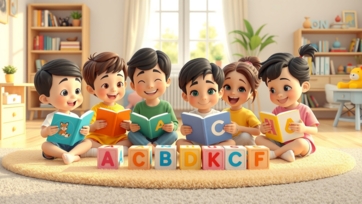
Reading practice during the preschool and kindergarten years plays a vital role in building strong literacy skills. Reading practice for preschool and kindergarten kids helps children develop phonics awareness, vocabulary, comprehension, and confidence in reading. When reading is introduced gradually and playfully, children enjoy the process and build lifelong learning habits.
This article shares effective, age-appropriate, and parent-approved reading strategies that support early readers both at home and in classroom settings.
Why Reading Practice Is Essential in Early Years:
Early reading practice supports overall cognitive and language development.
Key benefits include:
-
Improved vocabulary and sentence understanding
-
Better listening and comprehension skills
-
Early phonics and decoding abilities
-
Stronger attention span
-
Increased confidence in reading
Children who practice reading early often transition more smoothly into formal schooling.
Understanding Preschool and Kindergarten Reading Levels:
Every child develops reading skills at their own pace.
Preschool Level:
-
Recognizing letters and sounds
-
Listening to stories
-
Identifying pictures and familiar words
-
Enjoying rhymes and repetition
Kindergarten Level:
-
Blending letter sounds
-
Reading simple words and sentences
-
Recognizing sight words
-
Understanding story sequence
Matching reading activities to the child’s level keeps learning enjoyable and stress-free.
Daily Reading Practice at Home:
Short, consistent reading sessions are more effective than long lessons.
Best Practices:
-
Read aloud daily for 10–15 minutes
-
Choose colorful picture books
-
Point to words while reading
-
Ask simple questions about the story
Animated storytelling platforms like boobacartoon.com help reinforce reading habits through engaging visuals and narration.
Phonics-Based Reading Practice:
Phonics teaches children how letters form sounds and words.
Activities:
-
Practice letter sounds before reading words
-
Blend simple sounds (c-a-t → cat)
-
Use flashcards and magnetic letters
-
Read phonics-based beginner books
Phonics-based reading builds decoding skills and reading independence.
Sight Word Reading Practice:
Sight words improve reading fluency.
Examples:
-
the, is, am, see, go, can, we
-
Practice with word cards
-
Spot sight words in storybooks
-
Build simple sentences using sight words
Recognizing sight words reduces hesitation and improves reading confidence.
Interactive Reading Activities:
Interaction keeps children focused and engaged.
Ideas:
-
Ask prediction questions
-
Let children repeat familiar phrases
-
Act out characters
-
Use voice expressions while reading
Interactive reading strengthens comprehension and storytelling skills.
Reading Through Play-Based Learning:
Play naturally supports reading development.
Activities:
-
Pretend reading with toys
-
Matching words to pictures
-
Alphabet and word puzzles
-
Labeling toys and objects
Platforms like learn-kids.com combine play-based activities with structured reading practice.
Using Digital Tools for Reading Practice:
Digital resources can support early reading when used responsibly.
-
keekan.com – Beginner reading and phonics activities
-
learn-kids.com – Interactive reading games
-
kidtoys.site – Educational toys that support literacy
Screen time should always be guided and balanced with physical books.
Building a Reading-Friendly Environment:
A supportive environment encourages daily reading.
Simple Steps:
-
Keep books within easy reach
-
Create a cozy reading corner
-
Read at the same time every day
-
Let children choose books
Comfort and routine make reading a habit, not a task.
Common Reading Challenges and Solutions:
Some children may struggle initially.
Solutions:
-
Avoid pressure or comparison
-
Repeat favorite books for confidence
-
Focus on effort, not perfection
-
Keep sessions short and positive
Patience and encouragement lead to steady progress.
Tips for Parents and Teachers:
-
Be a reading role model
-
Praise progress regularly
-
Mix reading with games and play
-
Follow the child’s interest
-
Stay consistent
Supportive adults play a key role in early literacy success.
Final Thoughts:
Reading practice for preschool and kindergarten kids builds the foundation for strong literacy skills. By combining phonics, sight words, interactive storytelling, play-based learning, and daily routines, parents and teachers can help children become confident and enthusiastic readers.
The goal is to make reading fun, meaningful, and pressure-free, ensuring children develop a lifelong love for books and learning.